You can easily create and manage dashboards from the Data Studio page.

Creating a dashboard

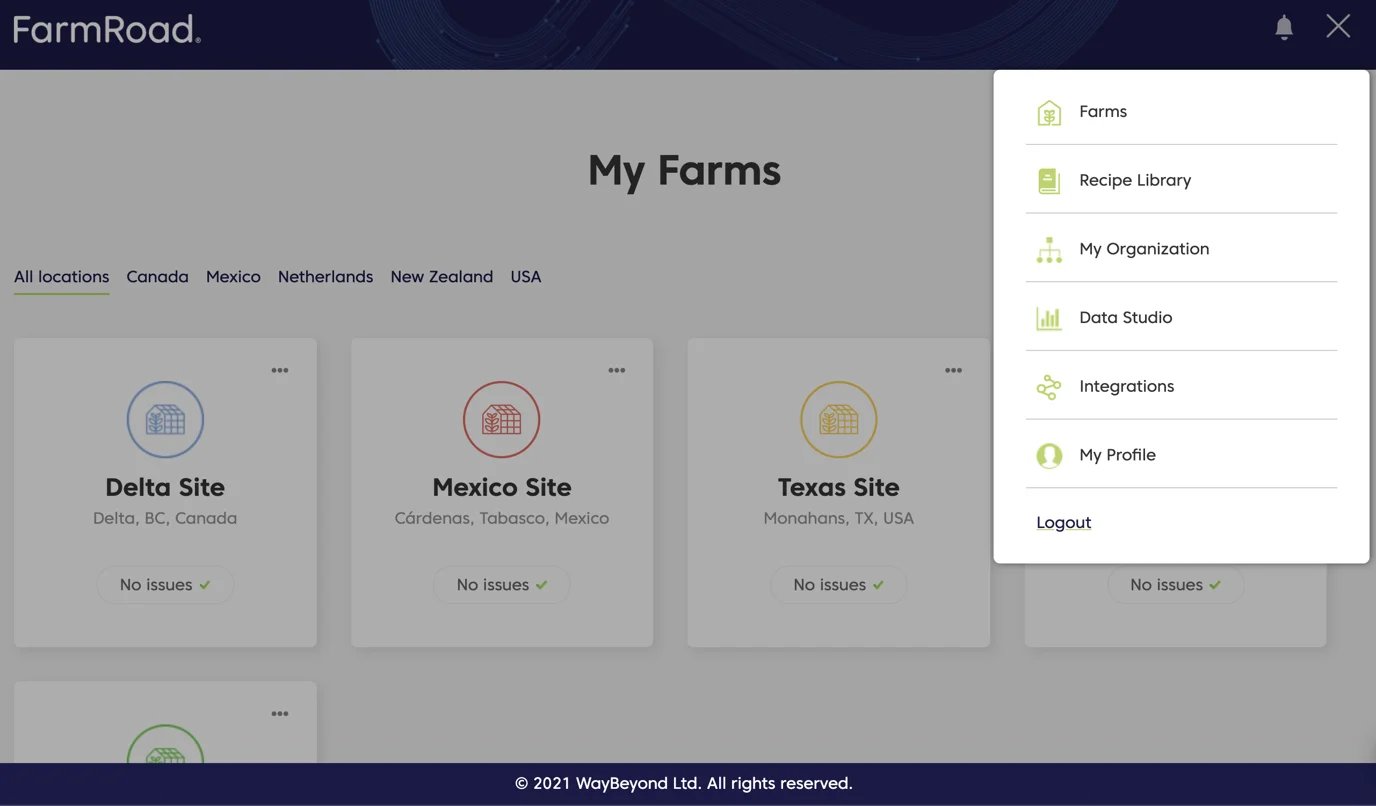
  1. Click on the Data Studio icon on the left menu
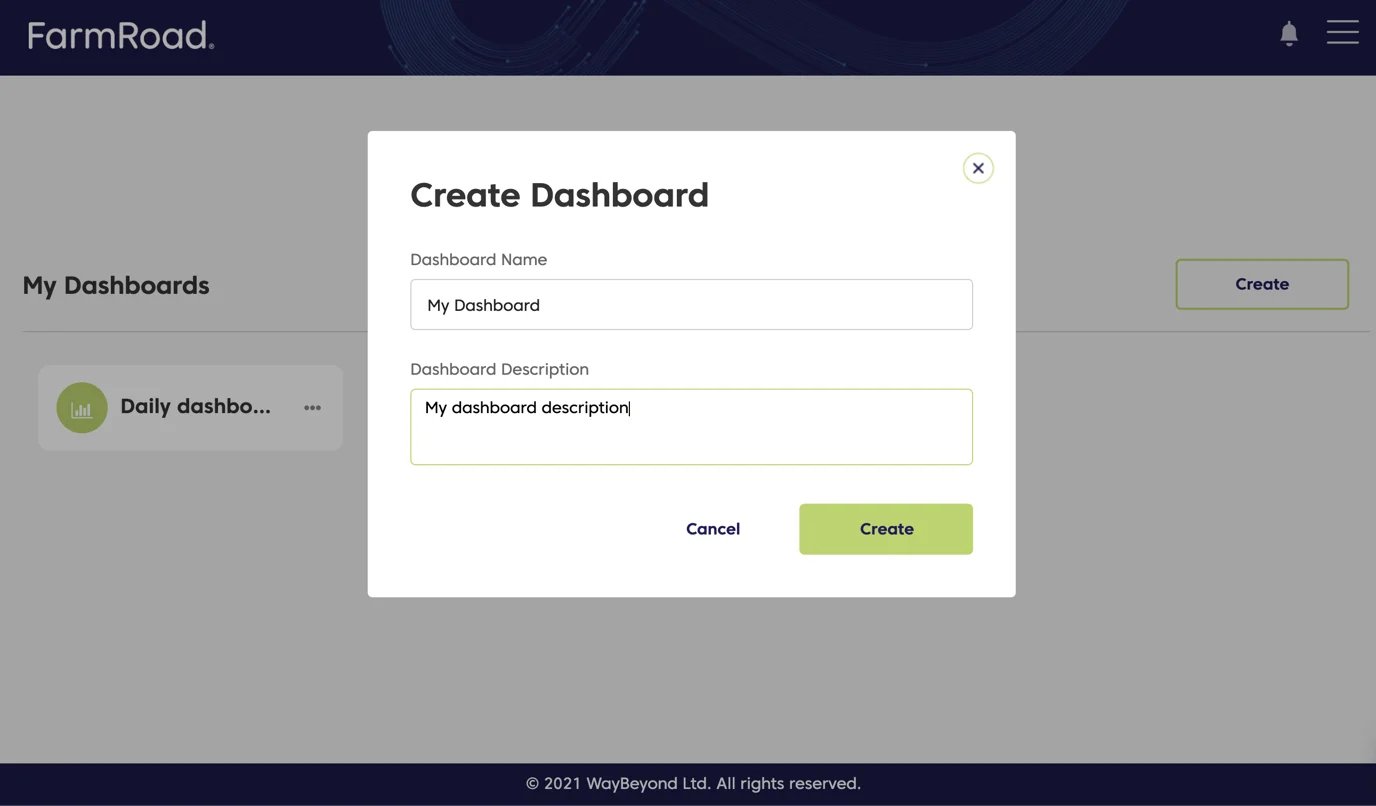
  2. Click Create
  3. Enter a name and description for your dashboard
  4. Click Save
Farm Road Create Dashboard Menu
Farm Road Add Name To Dashboard
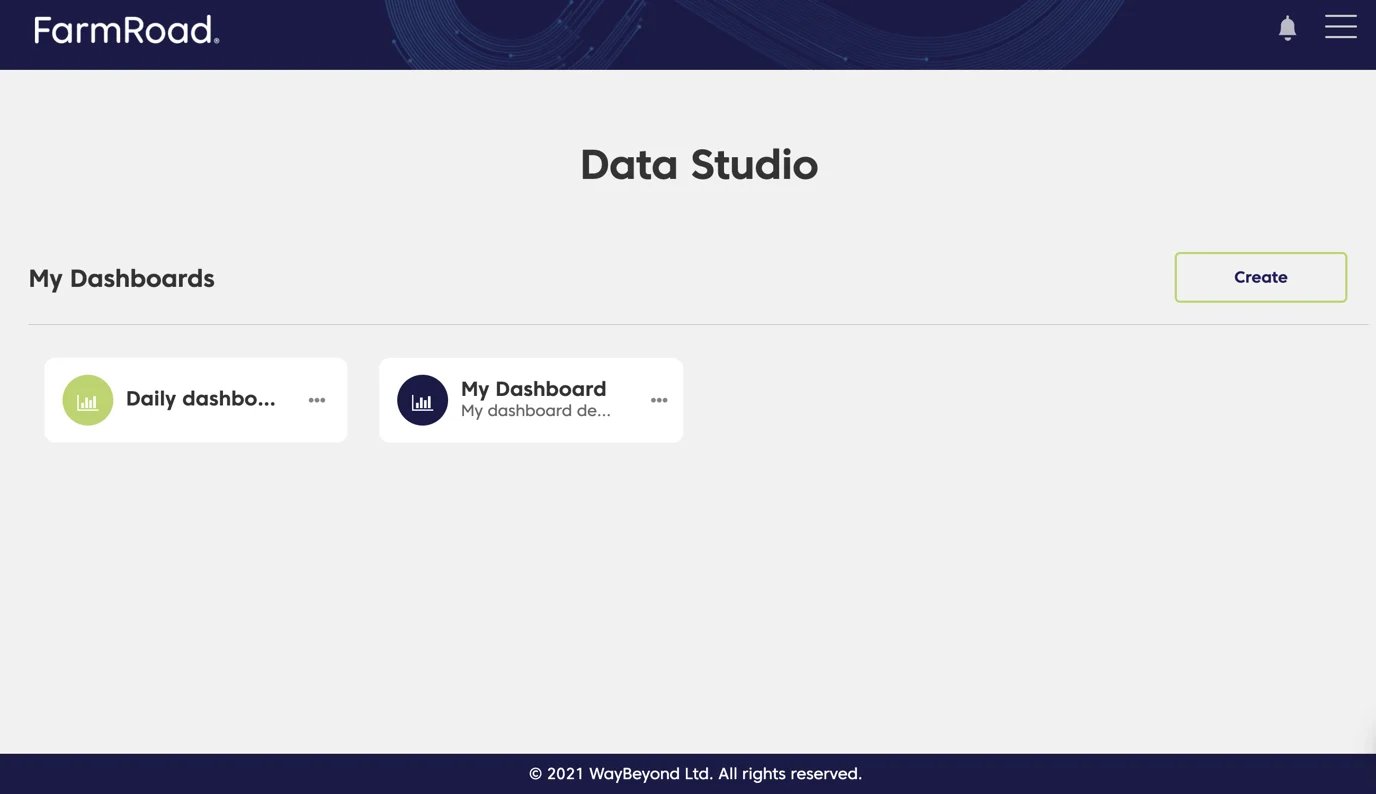
Your new dashboard will now appear in the list of available dashboards on the Data Studio page.
Farm Road Showing Newly Created Dashboard

Editing a dashboard

  1. Click on the Data Studio icon on the left menu
  2. Find the dashboard you want to edit
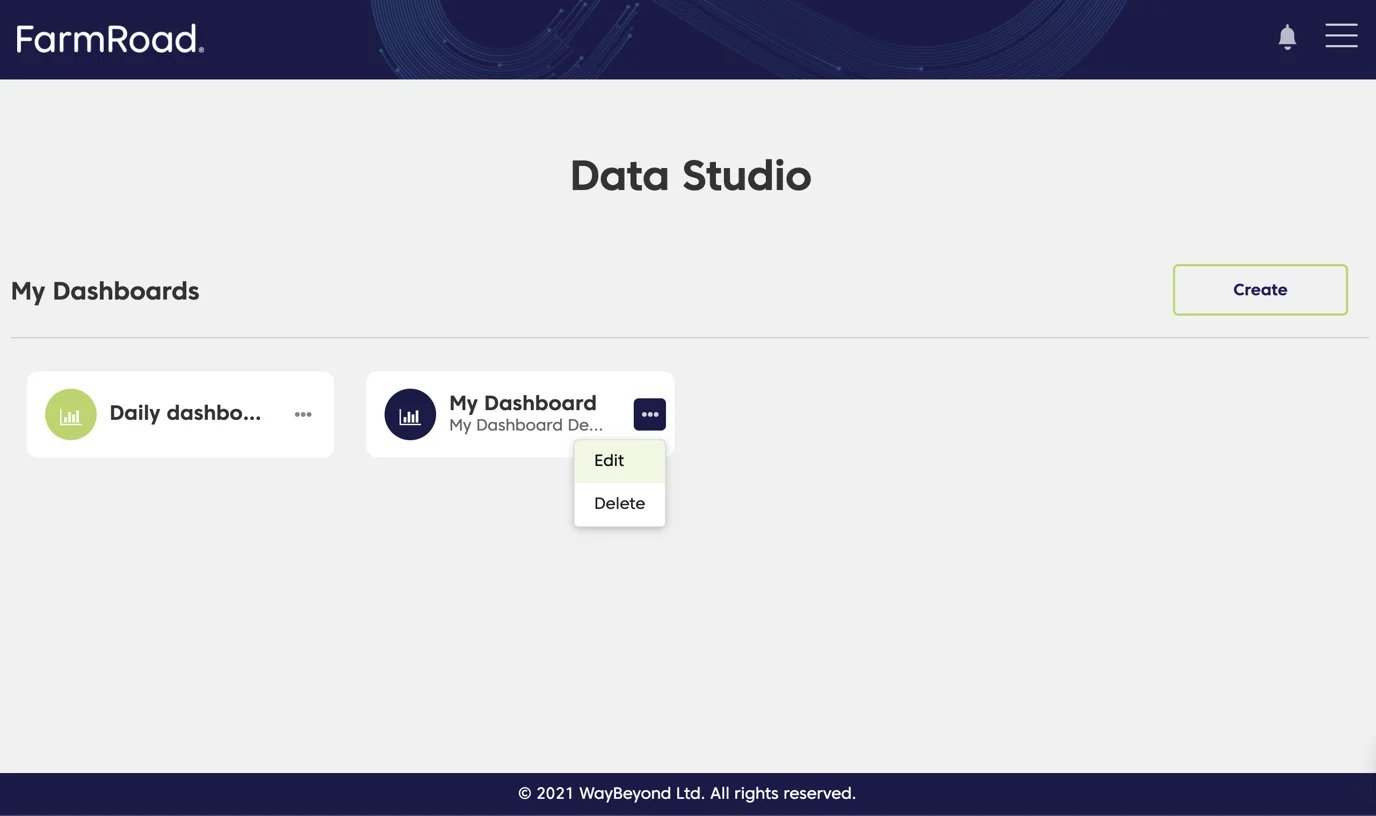
  3. Click the overflow menu
  4. Select Edit
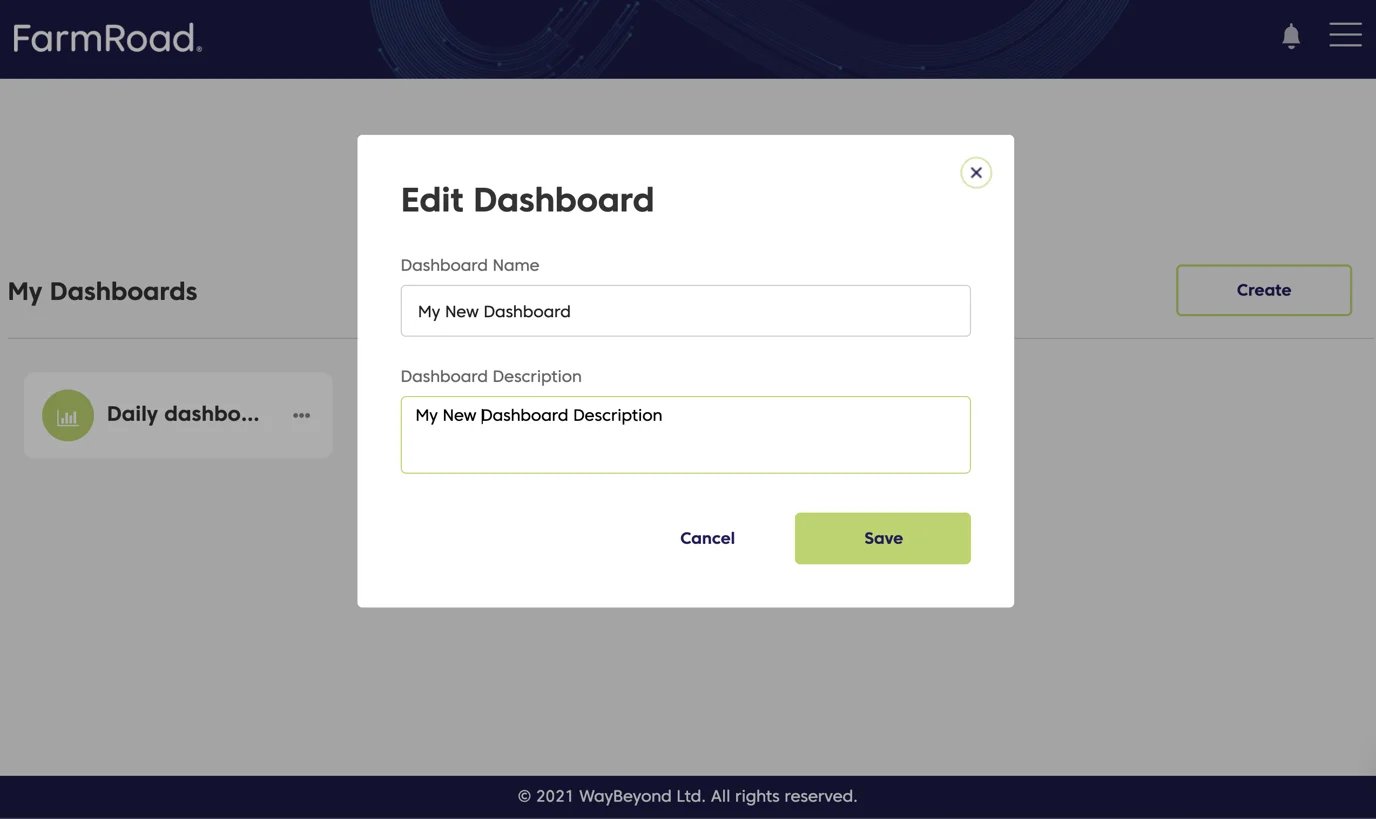
  5. Update the name and/or description
  6. Click Save
Your dashboard will now display the updated name and description.
Farm Road Edit Dashboard
Farm Road Edit Details For Dashboard

Deleting a dashboard

  1. Click on the Data Studio icon on the left menu
  2. Find the dashboard you want to delete
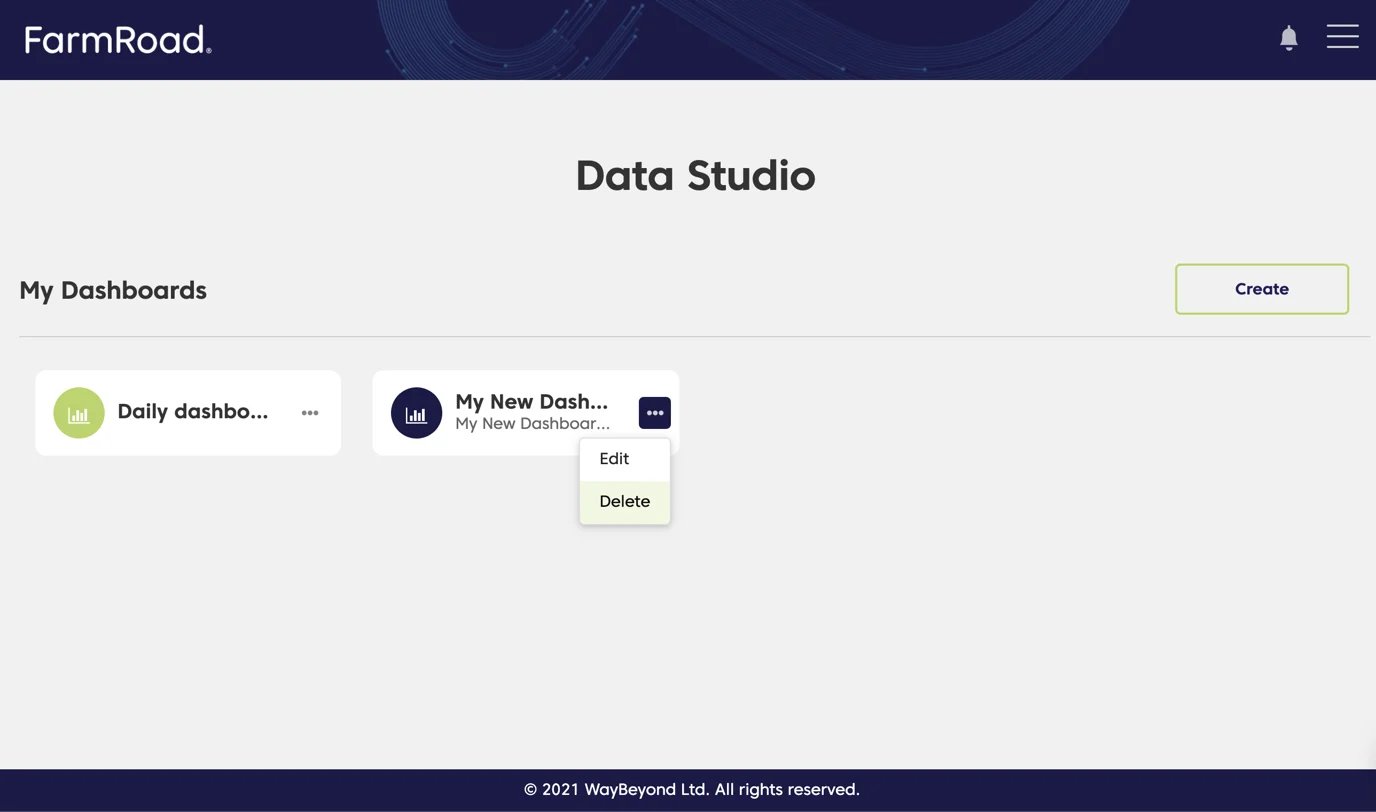
  3. Click the overflow menu
  4. Select Delete
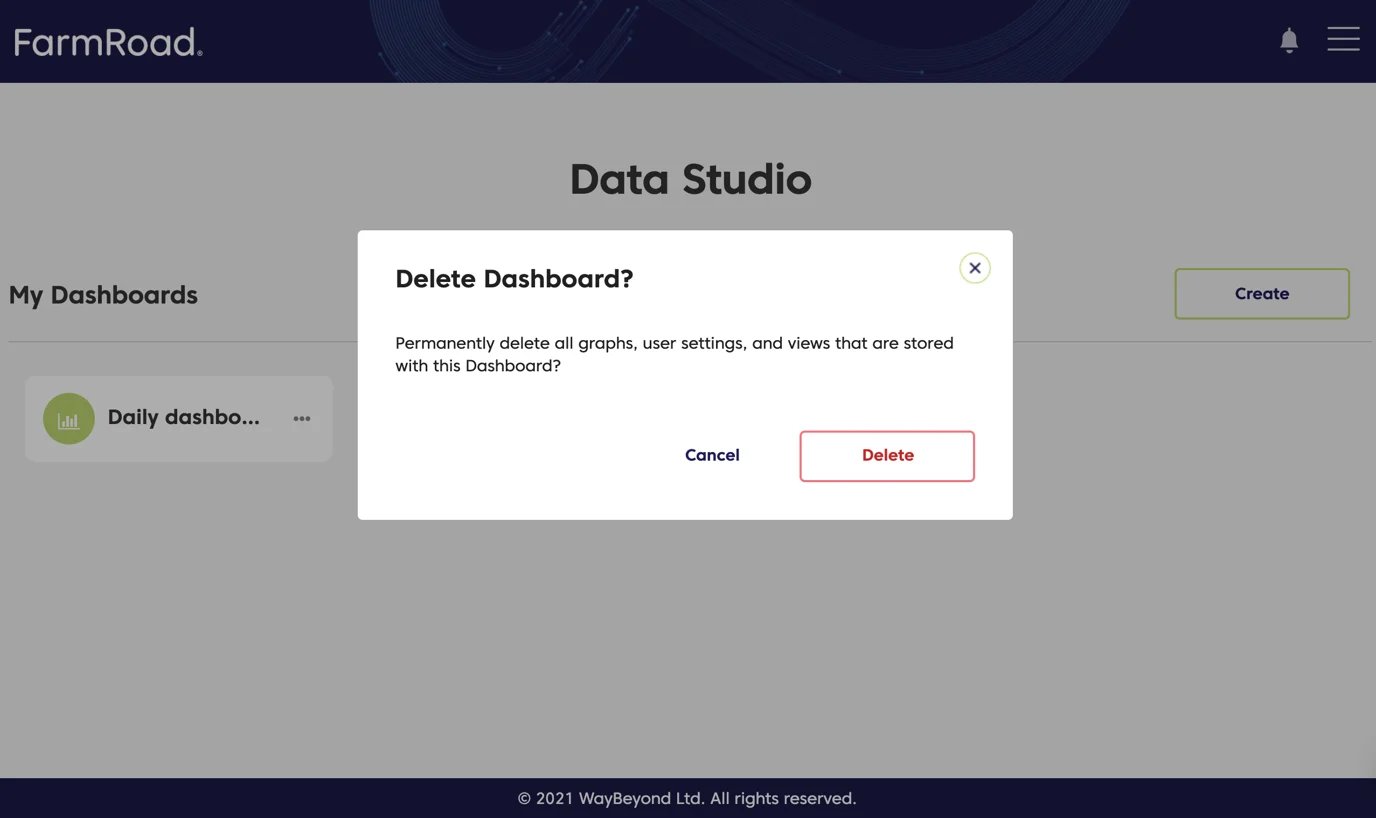
  5. Click Delete again to confirm
The Data Studio page will refresh, and the dashboard will no longer appear in the list.
Farm Road Delete Dashboard
Farm Road Confirm To Delete Dashboard