> ## Documentation Index
> Fetch the complete documentation index at: https://waybeyond.mintlify.site/llms.txt
> Use this file to discover all available pages before exploring further.

# ¿Cómo puedo ver los grados-día y grados-hora de crecimiento (GDD, GDH) en FarmRoad?

> Los grados de crecimiento pueden ayudarte a comprender mejor el desarrollo de tus cultivos que basarte únicamente en el tiempo.

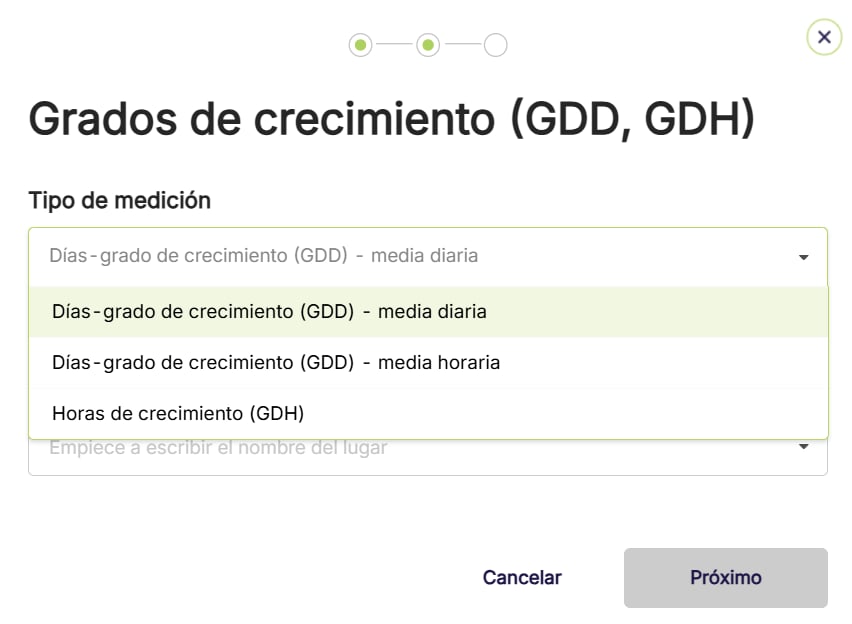
FarmRoad puede calcular automáticamente los **grados-día de crecimiento (GDD)** y los **grados-hora de crecimiento (GDH)** para un sector o sensor determinado.

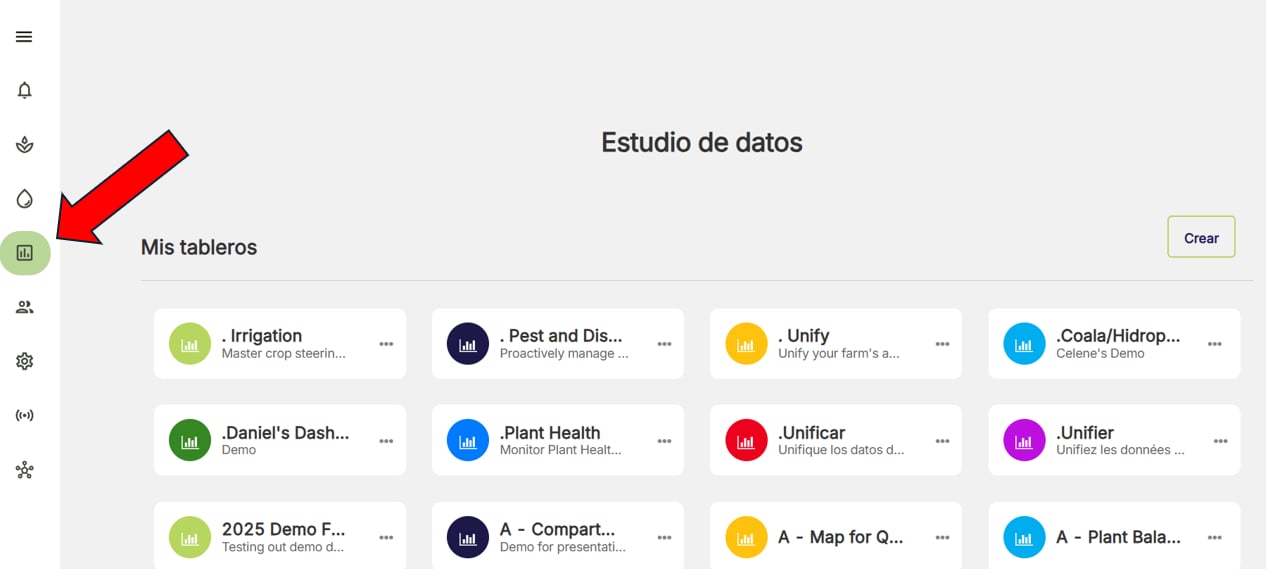
1. Ve a **Data Studio (Estudio de datos)**.
<Frame>
  <img src="https://mintcdn.com/waybeyond/qph5SDtCaO6DrGxg/images/FarmRoad-data-studio-nav-bar---ES.webp?fit=max&auto=format&n=qph5SDtCaO6DrGxg&q=85&s=15619552e8fd9775638ccfd7059835f7" alt="Farm Road Data Studio Nav Bar ES" width="1266" height="569" data-path="images/FarmRoad-data-studio-nav-bar---ES.webp" />
</Frame>

2. Abre el panel de control que quieres usar o crea uno nuevo.
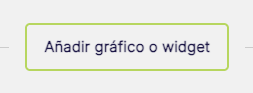
3. Haz clic en **Agregar gráfico o widget.**
<Frame>
  <img src="https://mintcdn.com/waybeyond/qph5SDtCaO6DrGxg/images/FarmRoad-add-a-chart-or-graph-widget_2_ES.png?fit=max&auto=format&n=qph5SDtCaO6DrGxg&q=85&s=5725c09728dfff9424056be78b1f91b7" alt="Farm Road Add A Chart Or Graph Widget 2 ES" width="253" height="93" data-path="images/FarmRoad-add-a-chart-or-graph-widget_2_ES.png" />
</Frame>

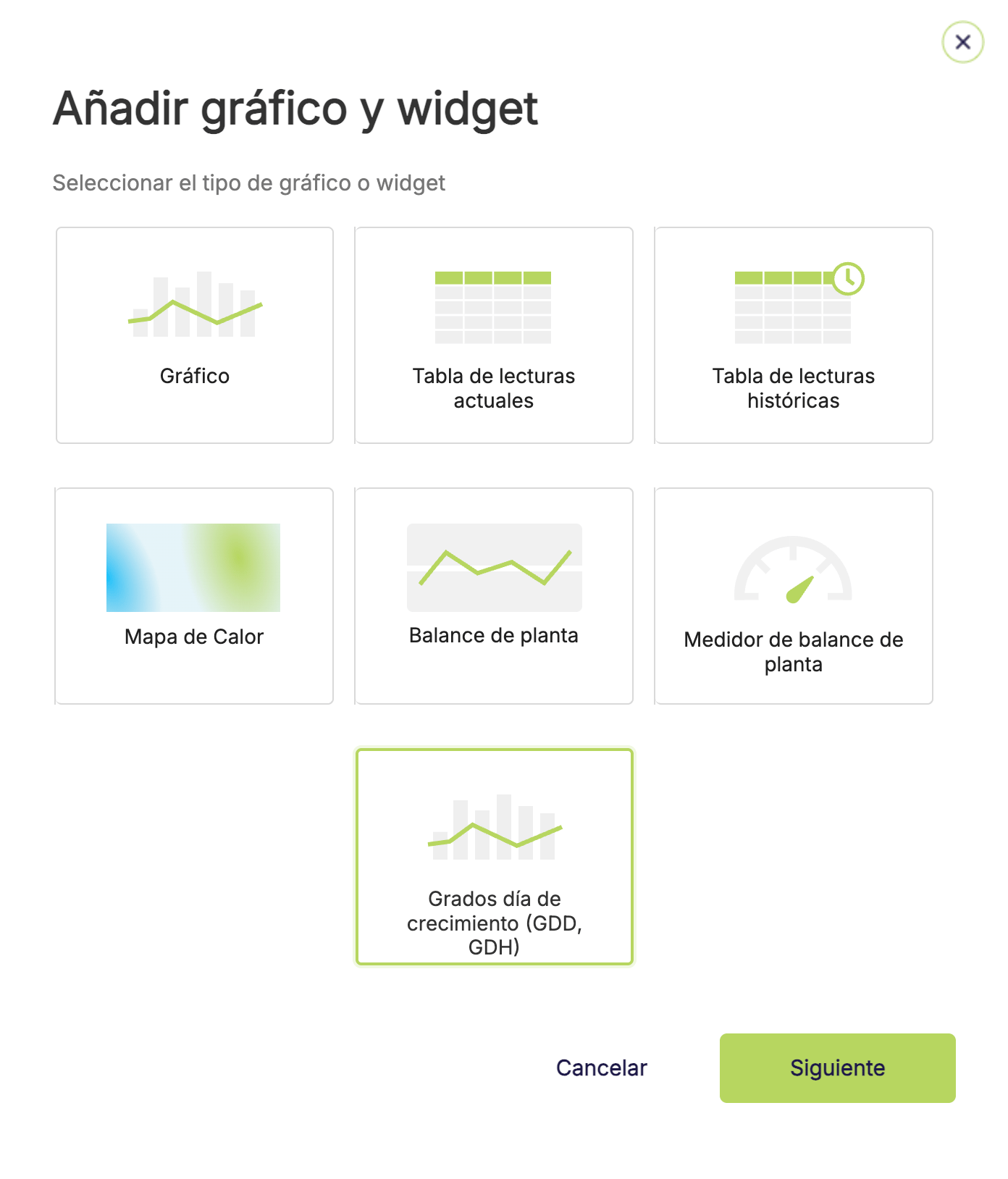
4. Selecciona **Grados de crecimiento (GDD, GDH)**.
<Frame>
  <img src="https://mintcdn.com/waybeyond/BiHEFOwKS4Anje5h/images/FarmRoad-select-GDD--GDH_ES.png?fit=max&auto=format&n=BiHEFOwKS4Anje5h&q=85&s=5b7ebb41c4387b9e221e820d2bcf281c" alt="Farm Road Select GDD : GDH ES" title="Farm Road Select GDD : GDH ES" className="mx-auto" style={{ width:"66%" }} width="1392" height="1628" data-path="images/FarmRoad-select-GDD--GDH_ES.png" />
</Frame>

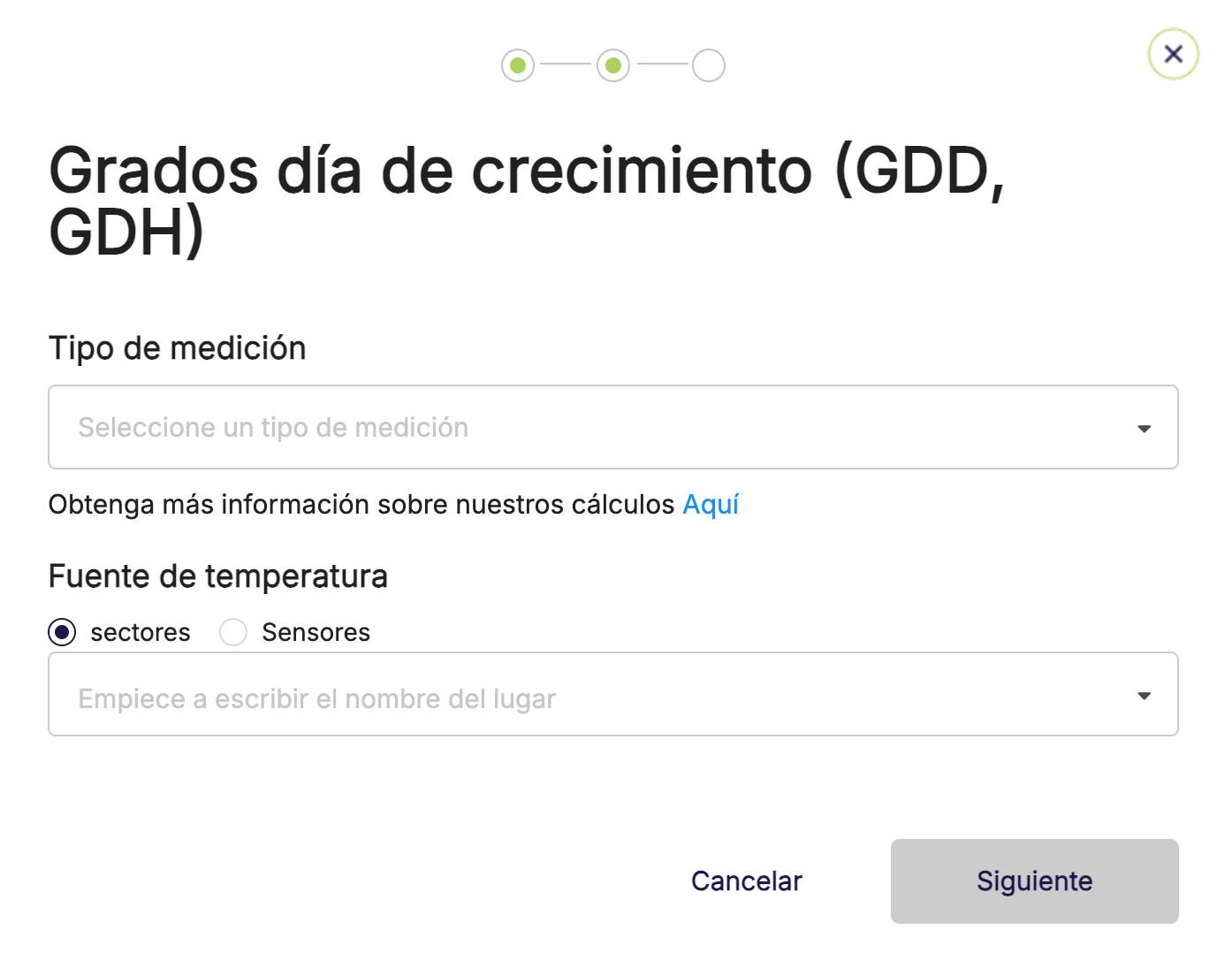
5. Elige el método de cálculo que quieres usar (consulta las diferencias [aquí](https://waybeyond.mintlify.site/es/farmroad/calcuation-of-GDD-and-GDH)) y selecciona el sector o sensor correspondiente.
<Frame>
  <img src="https://mintcdn.com/waybeyond/qph5SDtCaO6DrGxg/images/FarmRoad-growing-degree-calculation-method_ES.png?fit=max&auto=format&n=qph5SDtCaO6DrGxg&q=85&s=660ccec4b078201d3356f96c4eb35e96" alt="Farm Road Growing Degree Calculation Method ES" title="Farm Road Growing Degree Calculation Method ES" className="mx-auto" style={{ width:"71%" }} width="1394" height="1104" data-path="images/FarmRoad-growing-degree-calculation-method_ES.png" />
</Frame>

<Frame>
  <img src="https://mintcdn.com/waybeyond/qph5SDtCaO6DrGxg/images/FarmRoad-growing-degree-calculation-method_dropdown_ES.webp?fit=max&auto=format&n=qph5SDtCaO6DrGxg&q=85&s=d7137ffb843d494b5e93acd529f1f5ff" alt="Farm Road Growing Degree Calculation Method Dropdown ES" title="Farm Road Growing Degree Calculation Method Dropdown ES" className="mx-auto" style={{ width:"72%" }} width="852" height="624" data-path="images/FarmRoad-growing-degree-calculation-method_dropdown_ES.webp" />
</Frame>

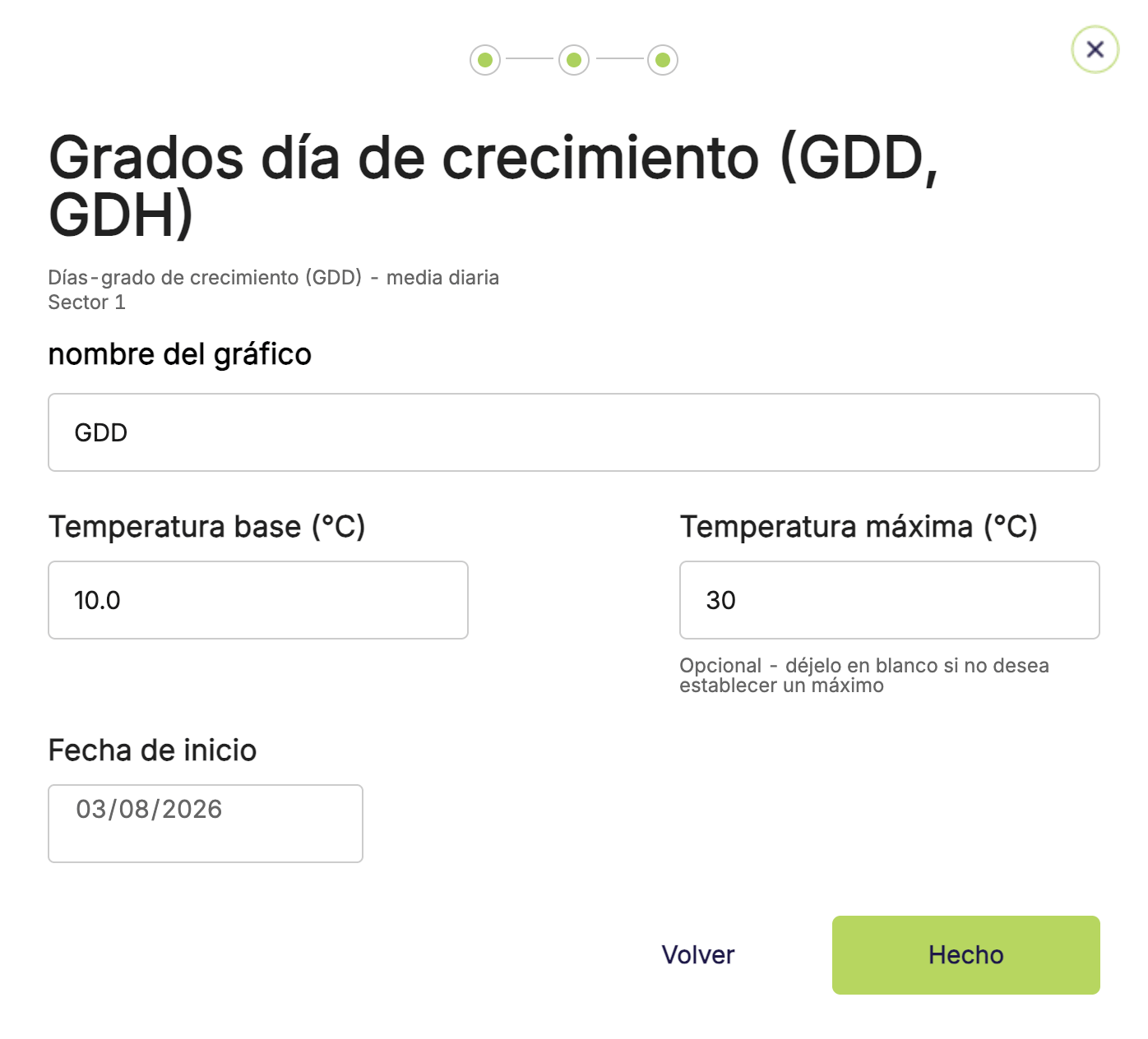
5. Especifica una temperatura base para el cálculo, así como una temperatura máxima opcional (por encima de la cual no se acumulan grados de crecimiento adicionales) y una fecha de inicio.
<Frame>
  <img src="https://mintcdn.com/waybeyond/qph5SDtCaO6DrGxg/images/FarmRoad-growing-degree-base-tempertaure_ES.png?fit=max&auto=format&n=qph5SDtCaO6DrGxg&q=85&s=5f66d96fc4909ac5c7382b3b4e47179c" alt="Farm Road Growing Degree Base Tempertaure ES" title="Farm Road Growing Degree Base Tempertaure ES" className="mx-auto" style={{ width:"72%" }} width="1396" height="1264" data-path="images/FarmRoad-growing-degree-base-tempertaure_ES.png" />
</Frame>

6. Haz clic en **Listo**.

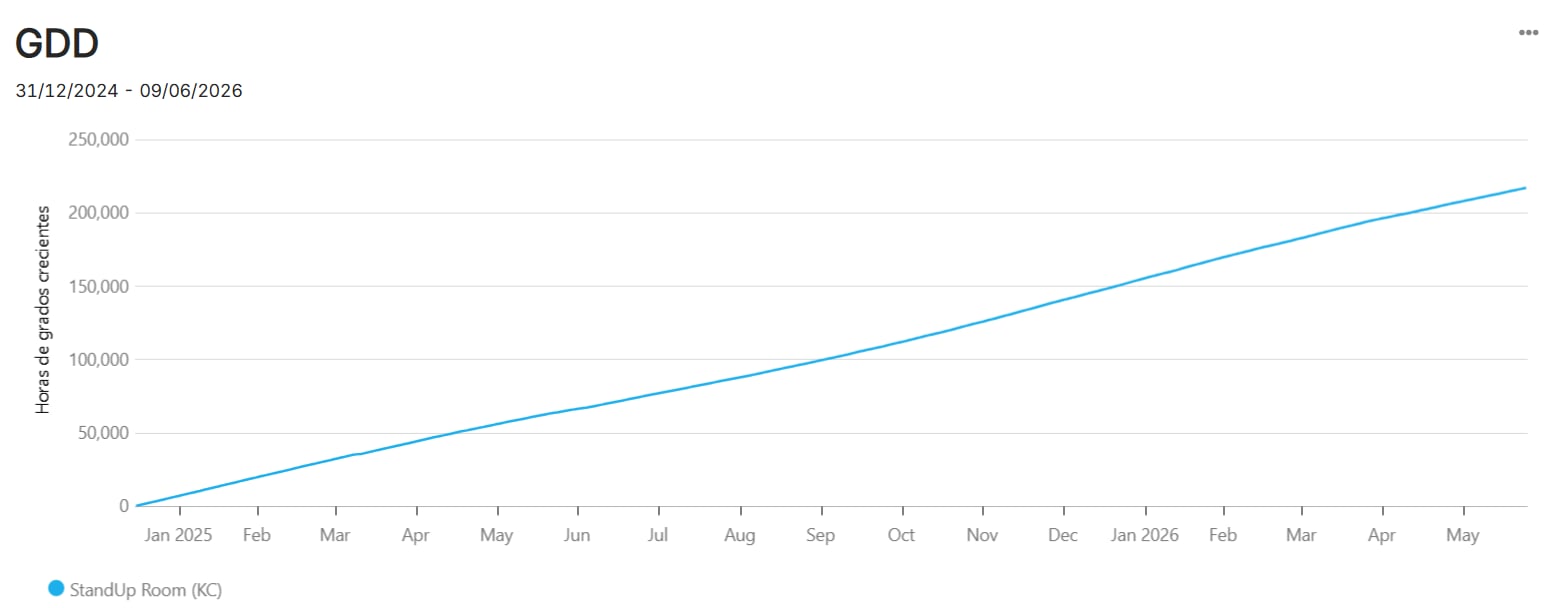
Tu panel de control se recargará y mostrará el nuevo gráfico de grados de crecimiento.
<Frame>
  <img src="https://mintcdn.com/waybeyond/BiHEFOwKS4Anje5h/images/GDD-chart_example.webp?fit=max&auto=format&n=BiHEFOwKS4Anje5h&q=85&s=90687f1f71fcb7d35e4b0c2659158788" alt="GDD Chart Example" width="1562" height="608" data-path="images/GDD-chart_example.webp" />
</Frame>
