> ## Documentation Index
> Fetch the complete documentation index at: https://waybeyond.mintlify.site/llms.txt
> Use this file to discover all available pages before exploring further.

# ¿Cómo añado un compartimento?

> Puede añadir compartimentos fácilmente a sus granjas desde la página de la granja.

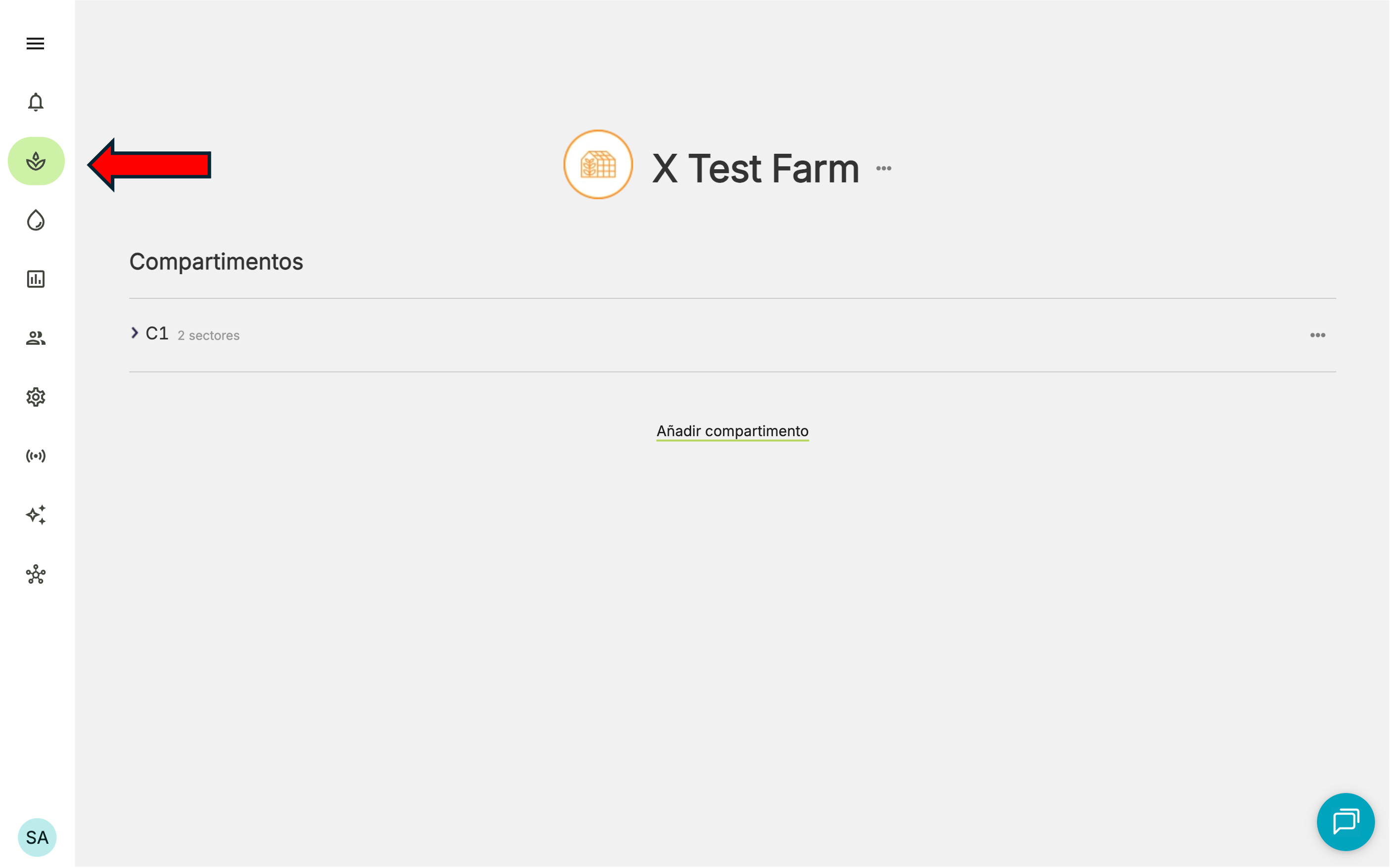
1. Vaya a la página **Mis granjas**.
<Frame>
  <img src="https://mintcdn.com/waybeyond/8et663Rur3IvnVbG/images/FarmRoad-my-farms_ES.png?fit=max&auto=format&n=8et663Rur3IvnVbG&q=85&s=c833df709c846a33f01c7630557a7ae7" alt="Farm Road My Farms ES" width="2809" height="1755" data-path="images/FarmRoad-my-farms_ES.png" />
</Frame>

2. Haga clic en la granja donde desea añadir el compartimento.
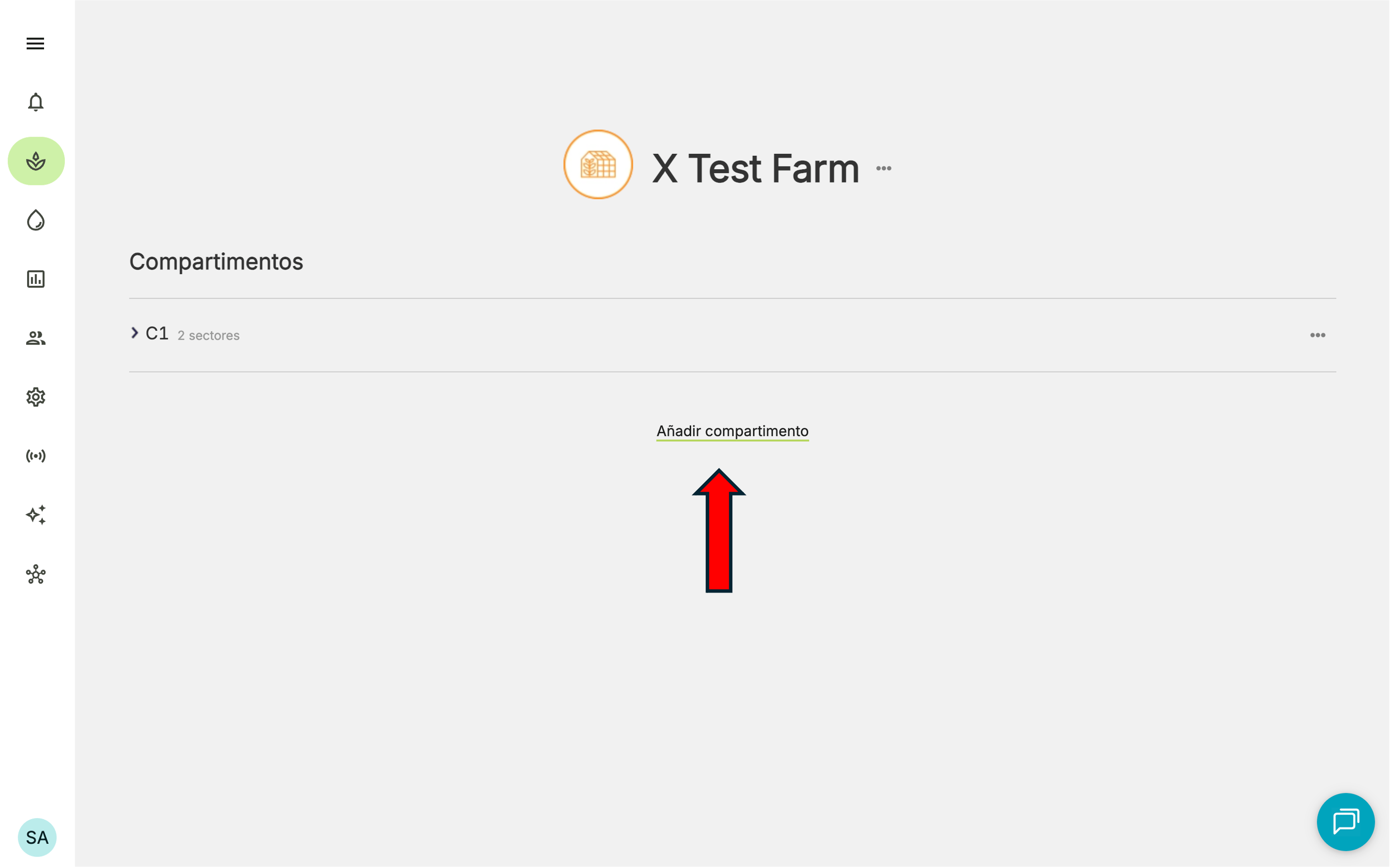
3. Haga clic en **Añadir compartimento**.
<Frame>
  <img src="https://mintcdn.com/waybeyond/GuvYWDRpv_2rgYM2/images/FarmRoad-add-compartment_ES.png?fit=max&auto=format&n=GuvYWDRpv_2rgYM2&q=85&s=4702d661a92c75dda5afa9e93ab633b3" alt="Farm Road Add Compartment ES" width="2809" height="1755" data-path="images/FarmRoad-add-compartment_ES.png" />
</Frame>

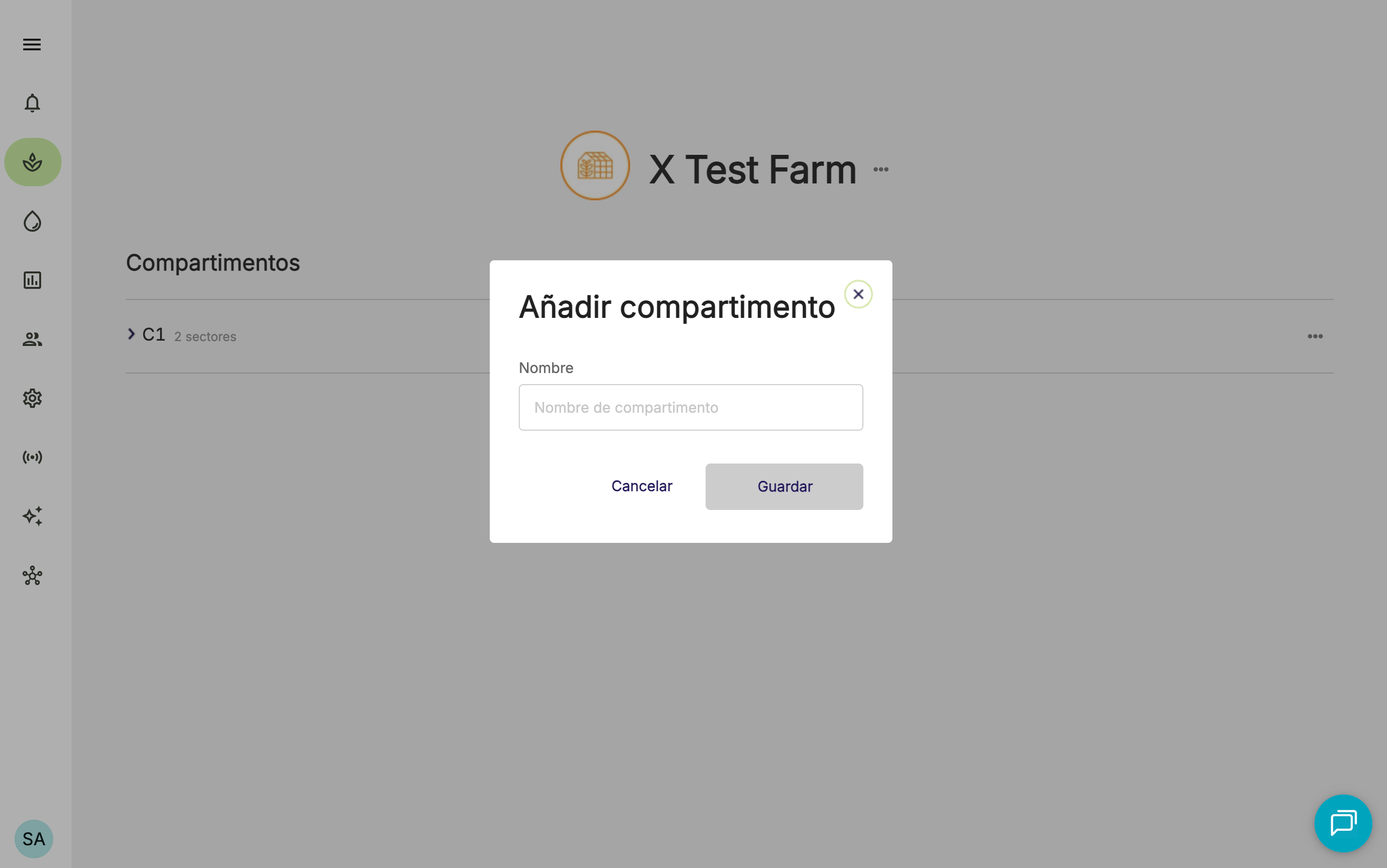
4. Ingrese el nombre del compartimento.
<Frame>
  <img src="https://mintcdn.com/waybeyond/zIt6DNVSK-75lgoc/images/farmRoad-add-compartment-name_ES.png?fit=max&auto=format&n=zIt6DNVSK-75lgoc&q=85&s=f45dfc547b4289600b34f56ee7fe108b" alt="Farm Road Add Compartment Name ES" width="2866" height="1794" data-path="images/farmRoad-add-compartment-name_ES.png" />
</Frame>

5. Haga clic en **Guardar**.
