> ## Documentation Index
> Fetch the complete documentation index at: https://waybeyond.mintlify.site/llms.txt
> Use this file to discover all available pages before exploring further.
# Agregar una nota en el Feed de actividad de FarmRoad
> Puedes agregar fácilmente una nota al Feed de actividad. Solo sigue los pasos a continuación.
## ¿Cómo agrego una nota?
Ve a la cronología del sector correspondiente.
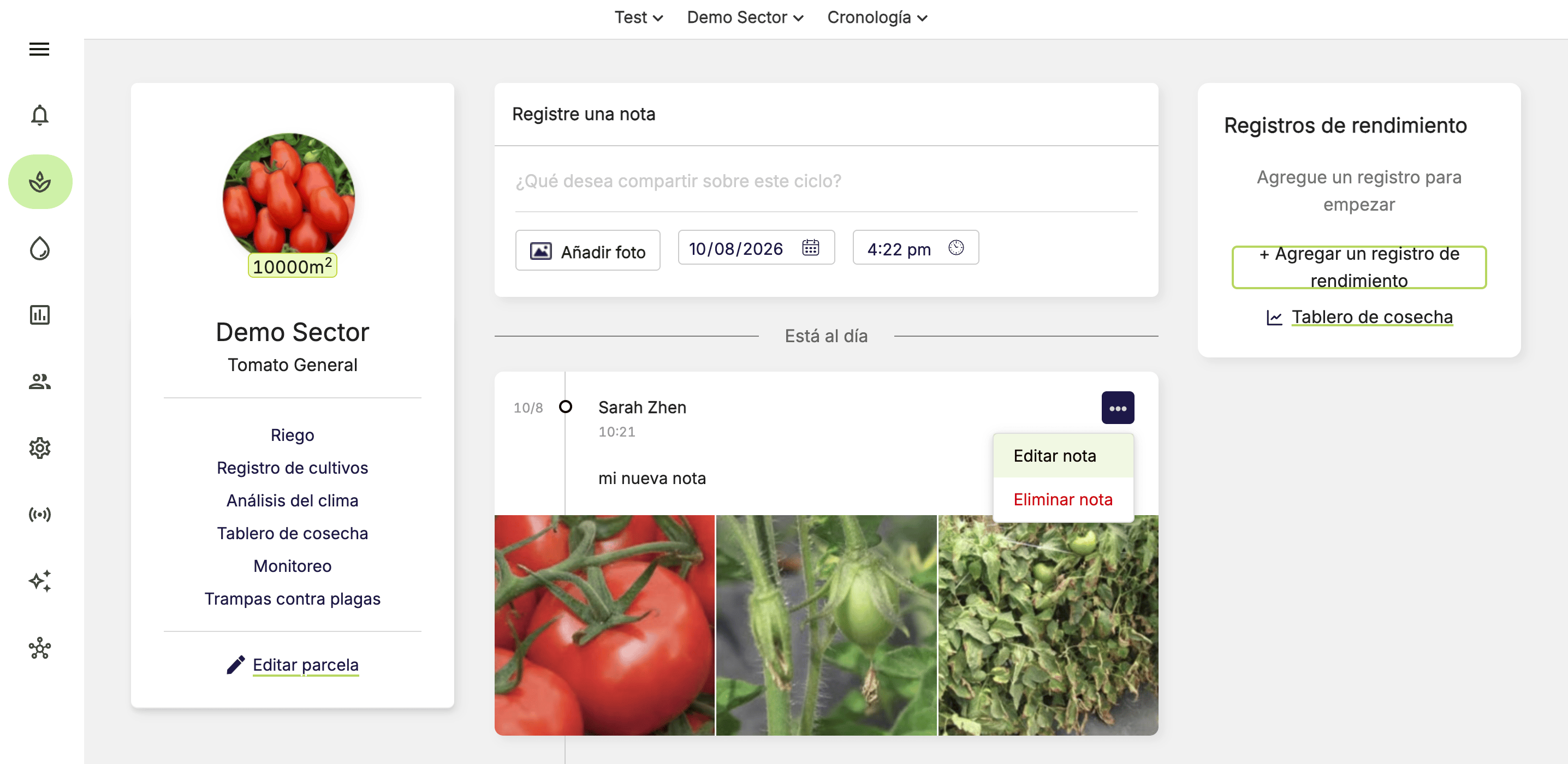
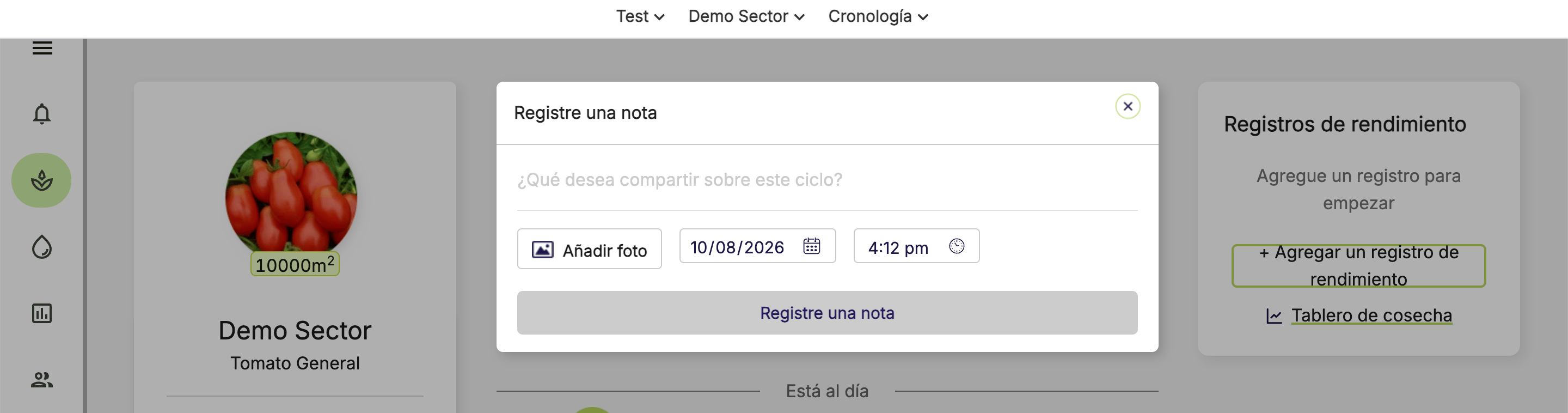
1. Escribe el texto de tu nota en el campo de notas en la parte superior de la cronología.
2. Selecciona la fecha y la hora de tu nota.
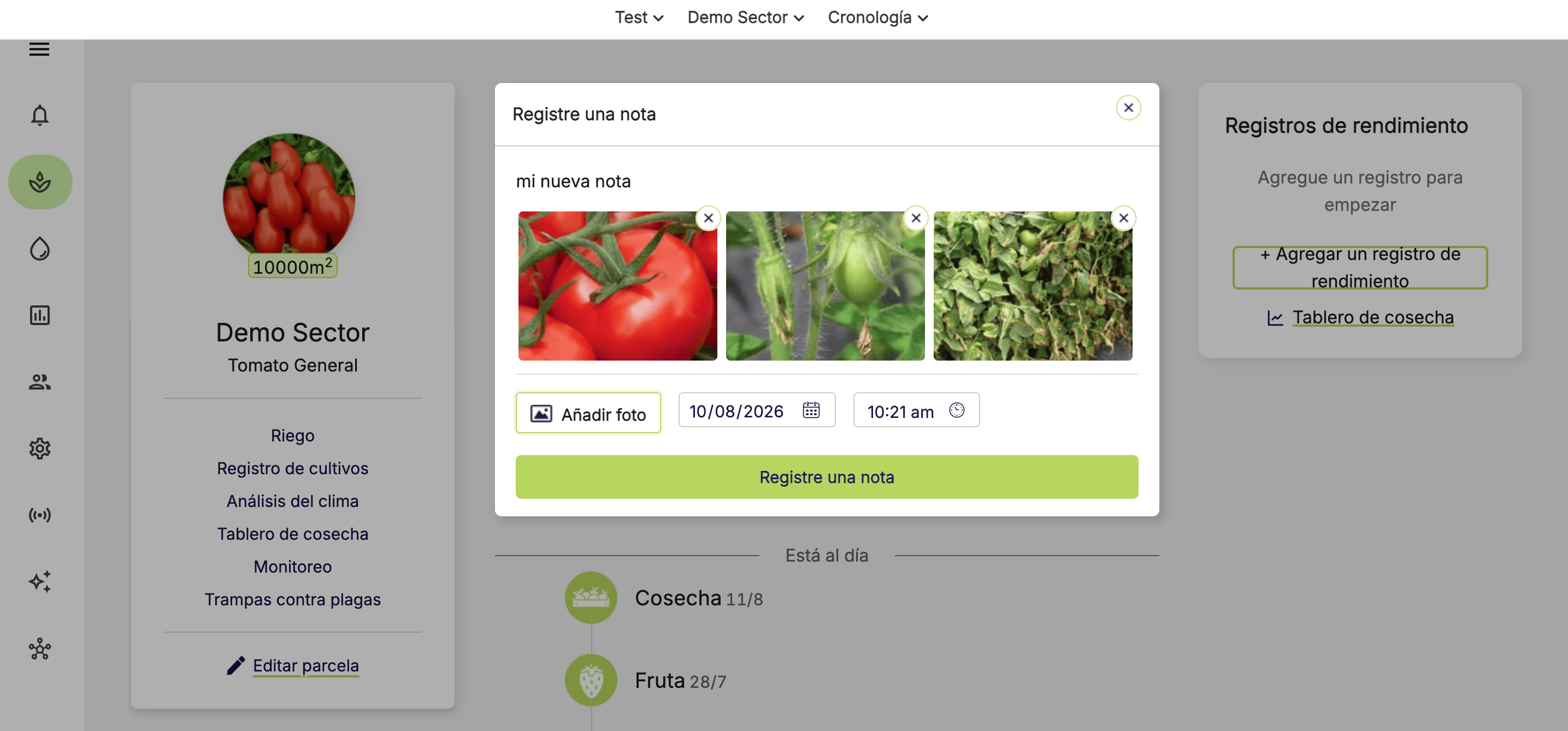
3. Para agregar fotos, haz clic en **Agregar foto** y selecciona tus fotos.
Puedes cargar hasta 5 fotos por nota. Cada foto tiene un límite de tamaño de 10 MB.
4. Haz clic en **Registrar nota**.
## ¿Cómo edito o elimino mi nota?
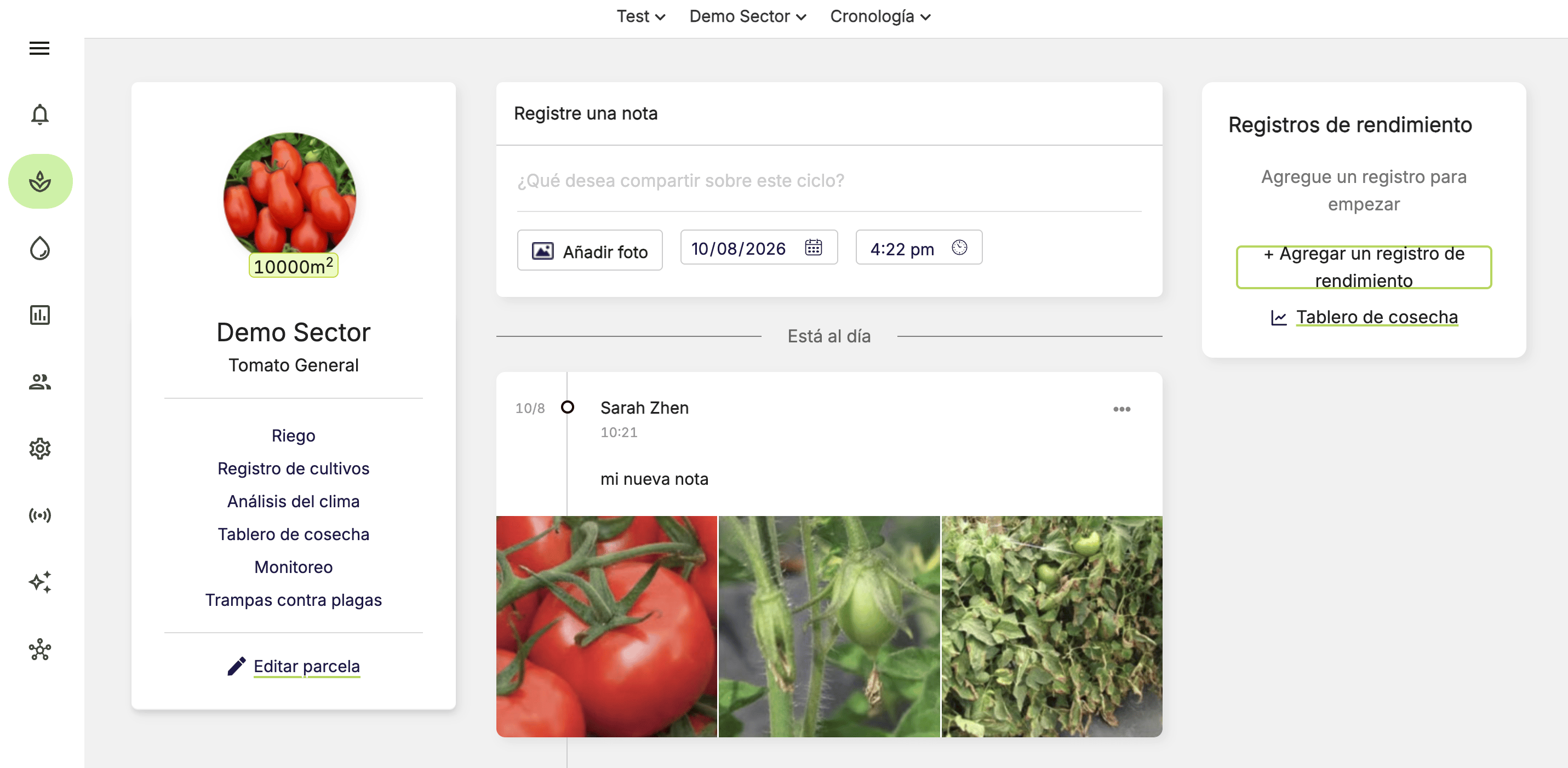
1. Ve al **Feed de actividad** del sector correspondiente.
2. Haz clic en **…** en la nota.
3. Selecciona **Editar nota** o **Eliminar nota**.
4. Confirma la acción con el botón correspondiente.
Algunos roles pueden editar o eliminar notas creadas por otros usuarios.
 2. Selecciona la fecha y la hora de tu nota.
3. Para agregar fotos, haz clic en **Agregar foto** y selecciona tus fotos.
2. Selecciona la fecha y la hora de tu nota.
3. Para agregar fotos, haz clic en **Agregar foto** y selecciona tus fotos.
 4. Haz clic en **Registrar nota**.
 ## ¿Cómo edito o elimino mi nota?
1. Ve al **Feed de actividad** del sector correspondiente.
2. Haz clic en **…** en la nota.
3. Selecciona **Editar nota** o **Eliminar nota**.
4. Confirma la acción con el botón correspondiente.
## ¿Cómo edito o elimino mi nota?
1. Ve al **Feed de actividad** del sector correspondiente.
2. Haz clic en **…** en la nota.
3. Selecciona **Editar nota** o **Eliminar nota**.
4. Confirma la acción con el botón correspondiente.