> ## Documentation Index
> Fetch the complete documentation index at: https://waybeyond.mintlify.site/llms.txt
> Use this file to discover all available pages before exploring further.
# How do I create, edit, and delete dashboards in FarmRoad Data Studio?
You can easily create and manage dashboards from the **Data Studio** page.
## Creating a dashboard
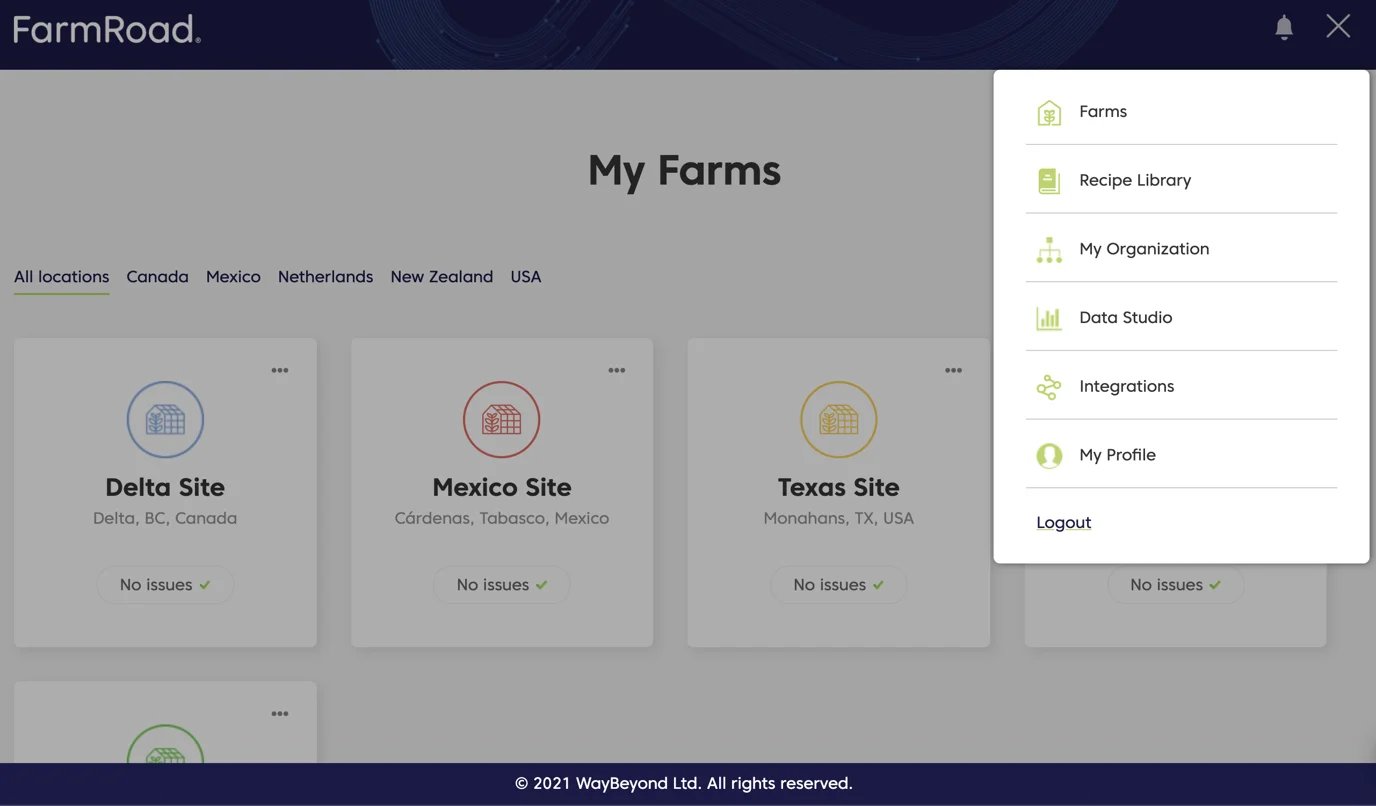
1. Click on the **Data Studio** icon on the left menu
2. Click **Create**
3. Enter a name and description for your dashboard
4. Click **Save**
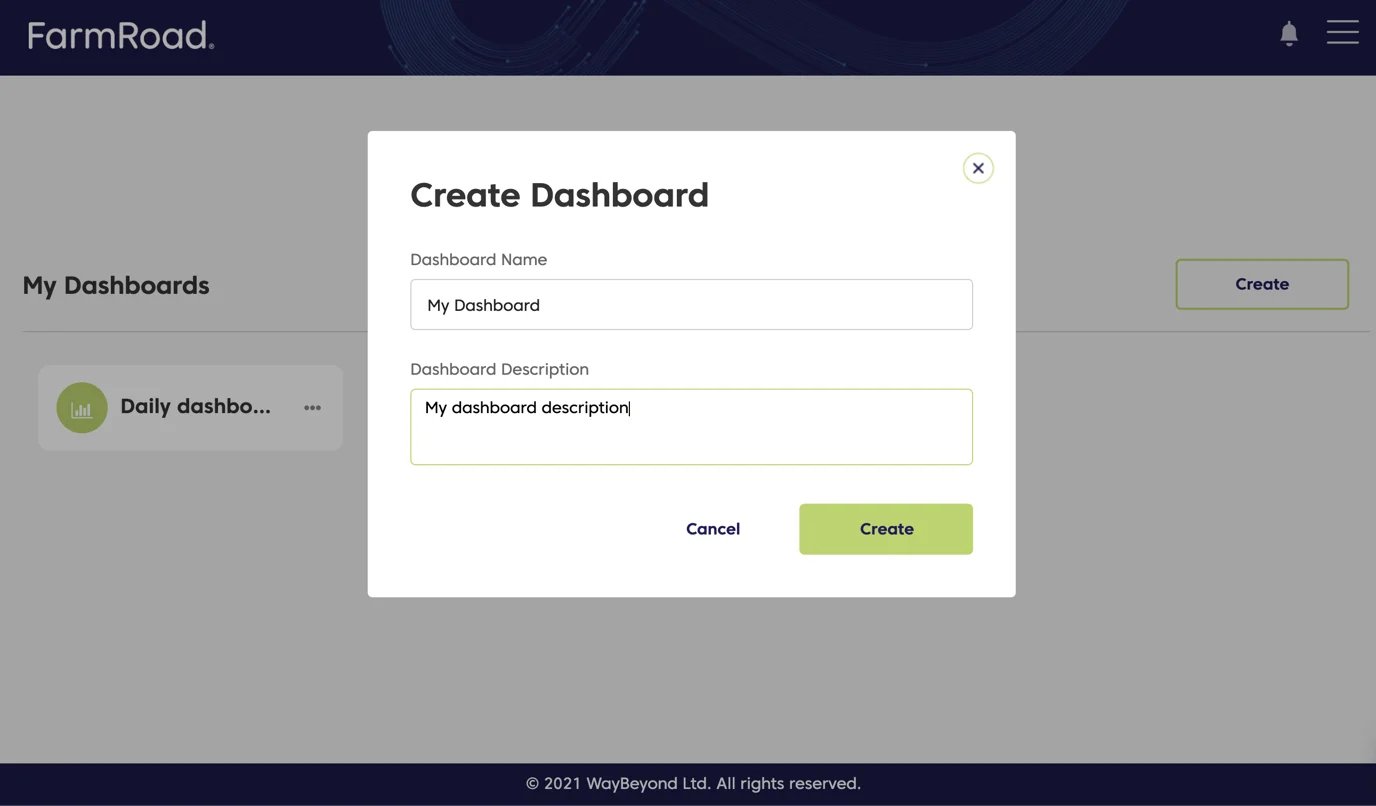 Your new dashboard will now appear in the list of available dashboards on the Data Studio page.
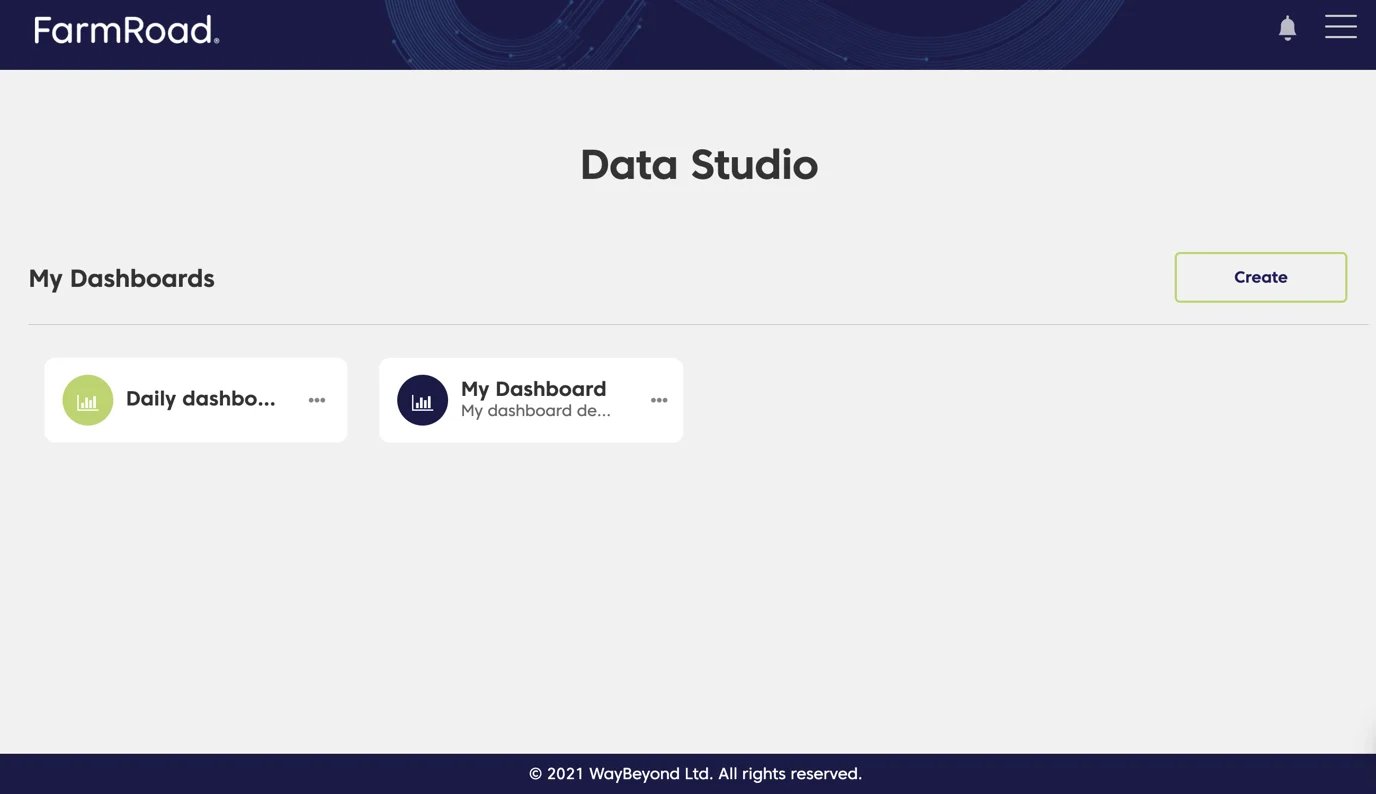 ## Editing a dashboard
1. Click on the **Data Studio** icon on the left menu
2. Find the dashboard you want to edit
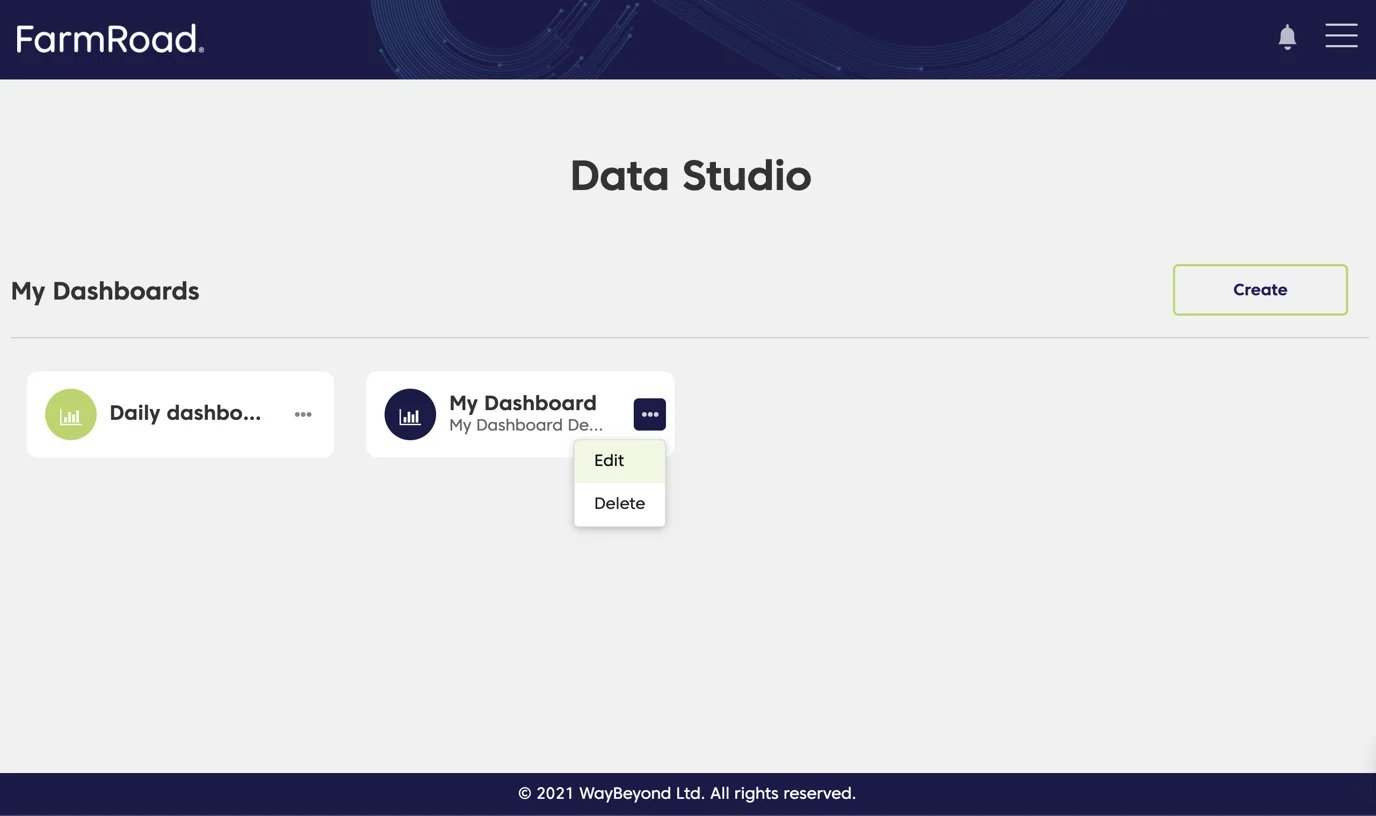
3. Click the overflow menu
4. Select **Edit**
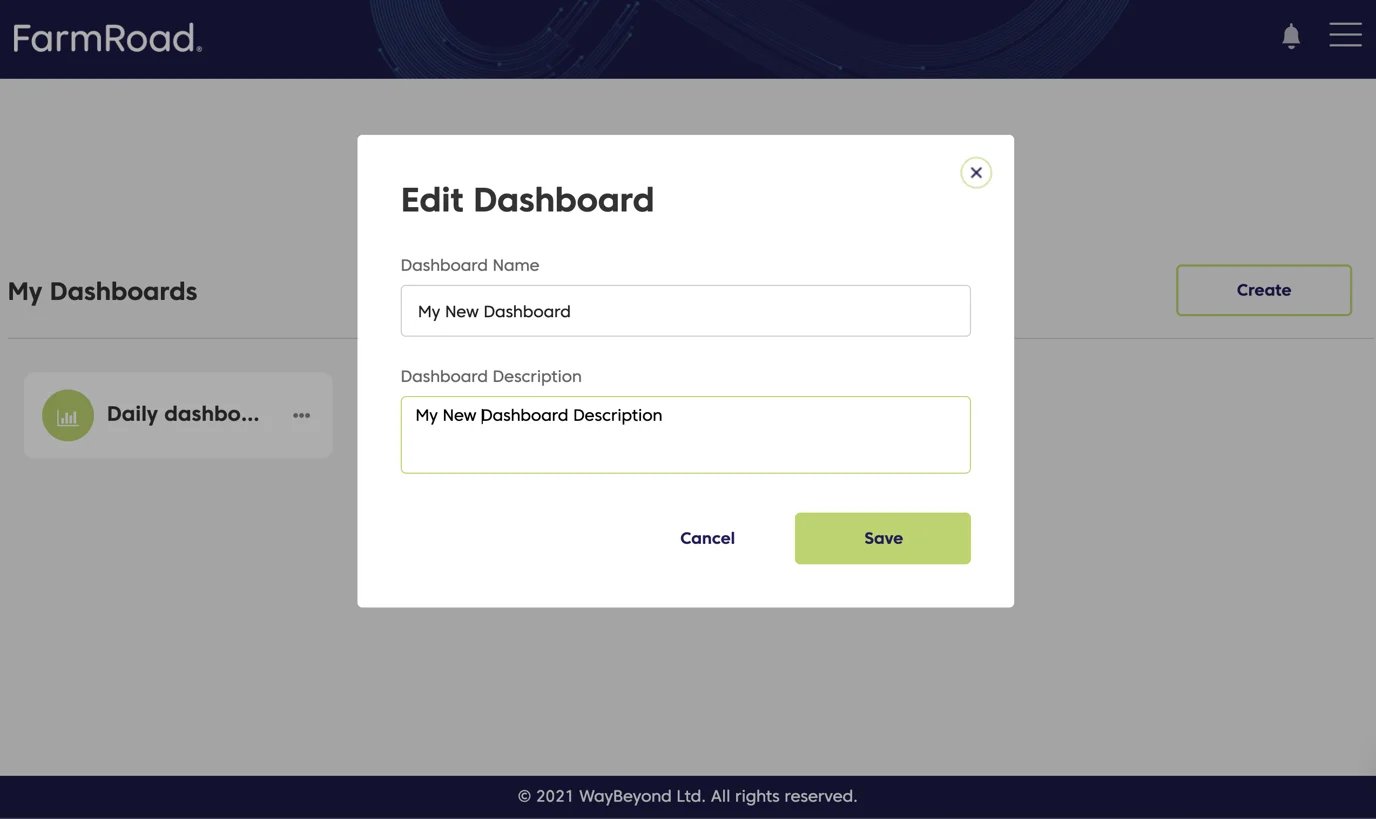
5. Update the name and/or description
6. Click **Save**
Your dashboard will now display the updated name and description.
## Editing a dashboard
1. Click on the **Data Studio** icon on the left menu
2. Find the dashboard you want to edit
3. Click the overflow menu
4. Select **Edit**
5. Update the name and/or description
6. Click **Save**
Your dashboard will now display the updated name and description.
 ## Deleting a dashboard
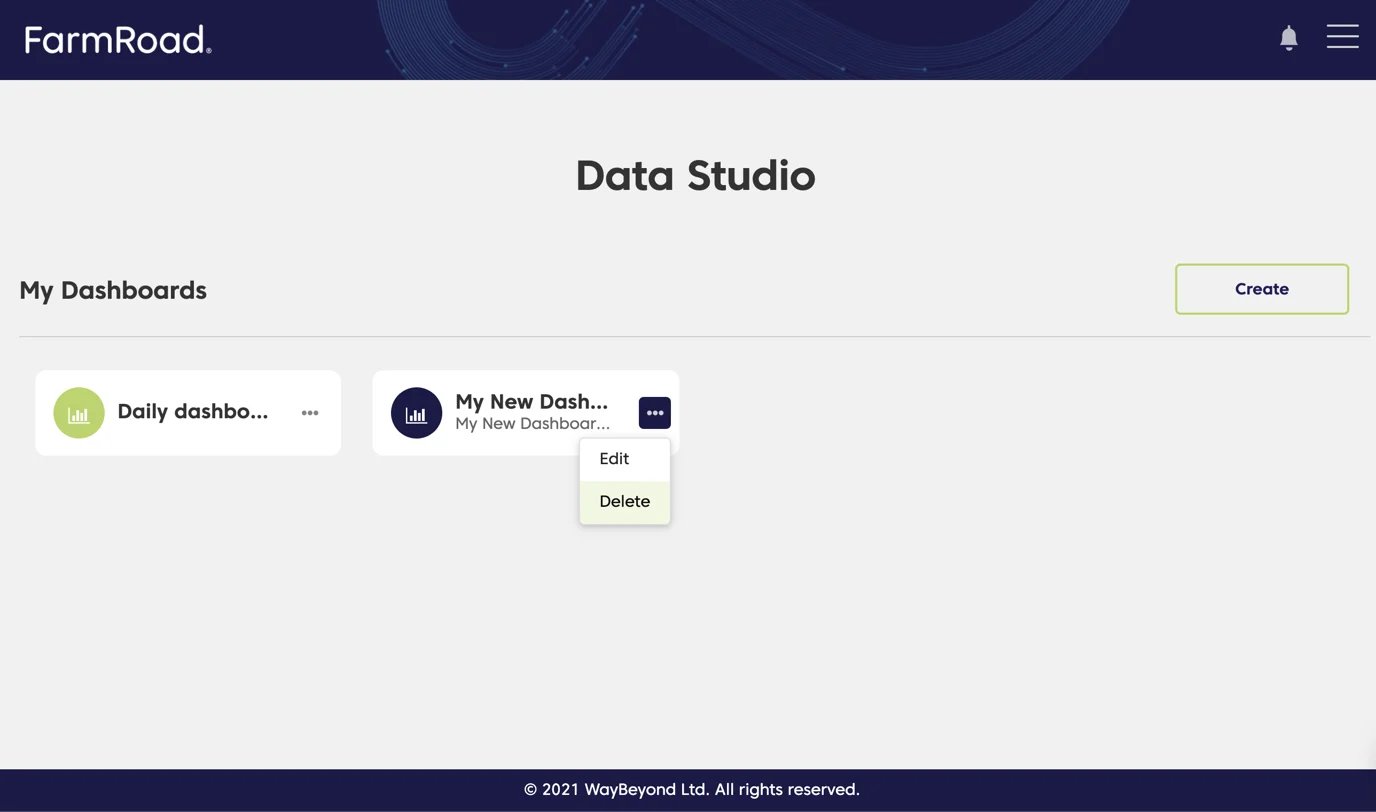
1. Click on the **Data Studio** icon on the left menu
2. Find the dashboard you want to delete
3. Click the overflow menu
4. Select **Delete**
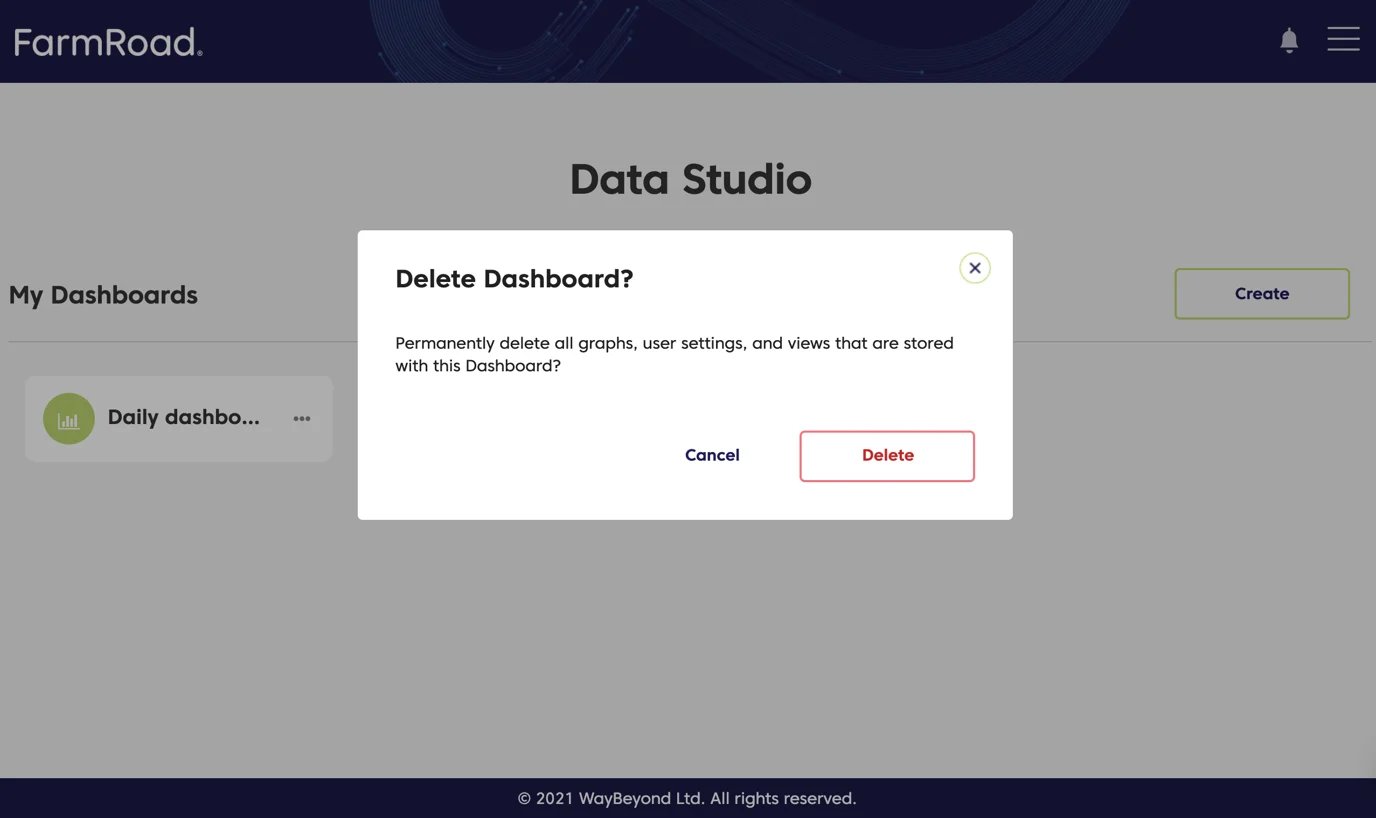
5. Click **Delete** again to confirm
The **Data Studio** page will refresh, and the dashboard will no longer appear in the list.
## Deleting a dashboard
1. Click on the **Data Studio** icon on the left menu
2. Find the dashboard you want to delete
3. Click the overflow menu
4. Select **Delete**
5. Click **Delete** again to confirm
The **Data Studio** page will refresh, and the dashboard will no longer appear in the list.