> ## Documentation Index
> Fetch the complete documentation index at: https://waybeyond.mintlify.site/llms.txt
> Use this file to discover all available pages before exploring further.

# How do I add a new crop registration record in FarmRoad web?

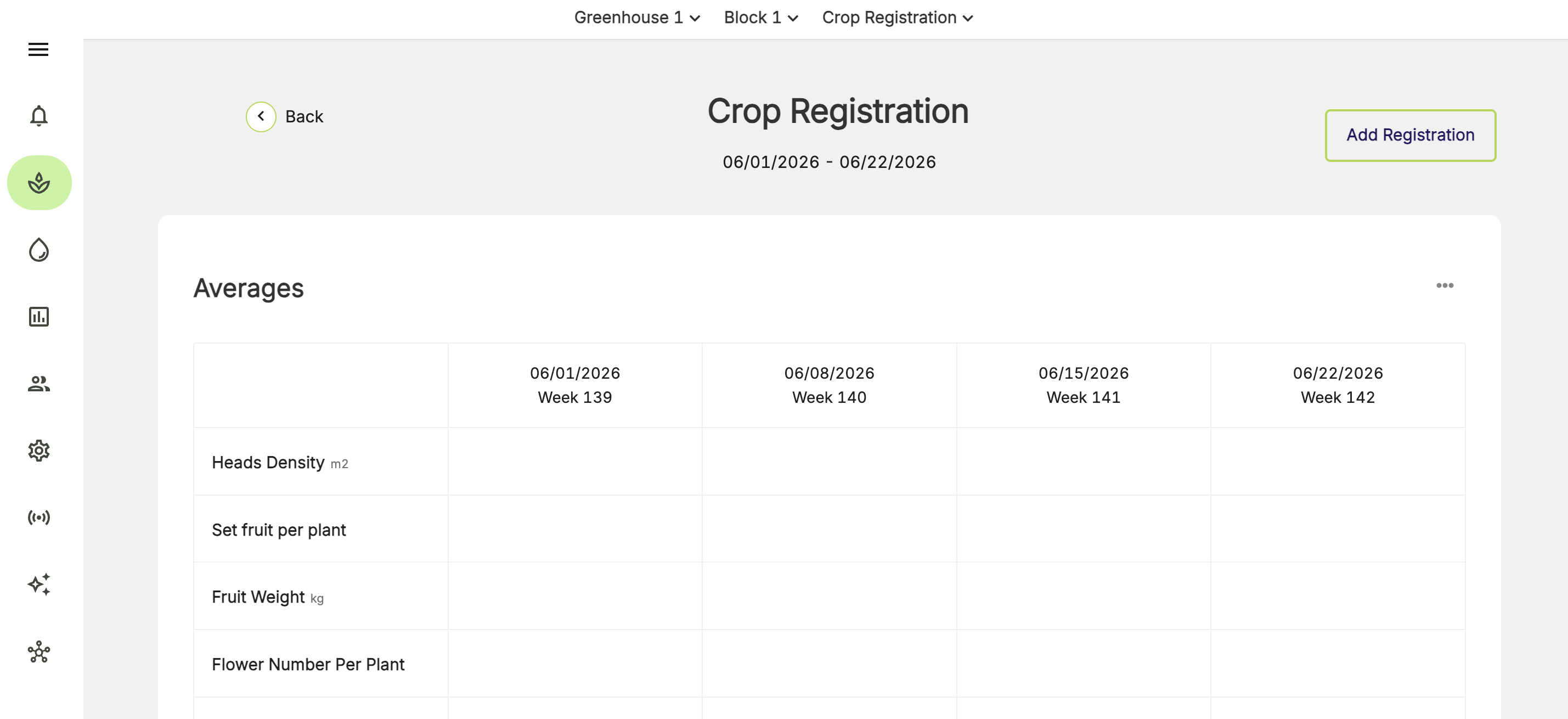
Head to the **Crop Registration Averages** page to add a new crop registration record.

1. Click **Add Registration** in the top-right corner of the **Crop Registration averages** screen.
<Frame>
  <img src="https://mintcdn.com/waybeyond/TlOHwk3gqAwlpCB9/images/FarmRoad-web-Crop-Registration_add-registration.png?fit=max&auto=format&n=TlOHwk3gqAwlpCB9&q=85&s=dcffe479f9041ac58f8efbe90bf6a822" alt="Farm Road Web Crop Registration Add Registration" width="2858" height="1310" data-path="images/FarmRoad-web-Crop-Registration_add-registration.png" />
</Frame>

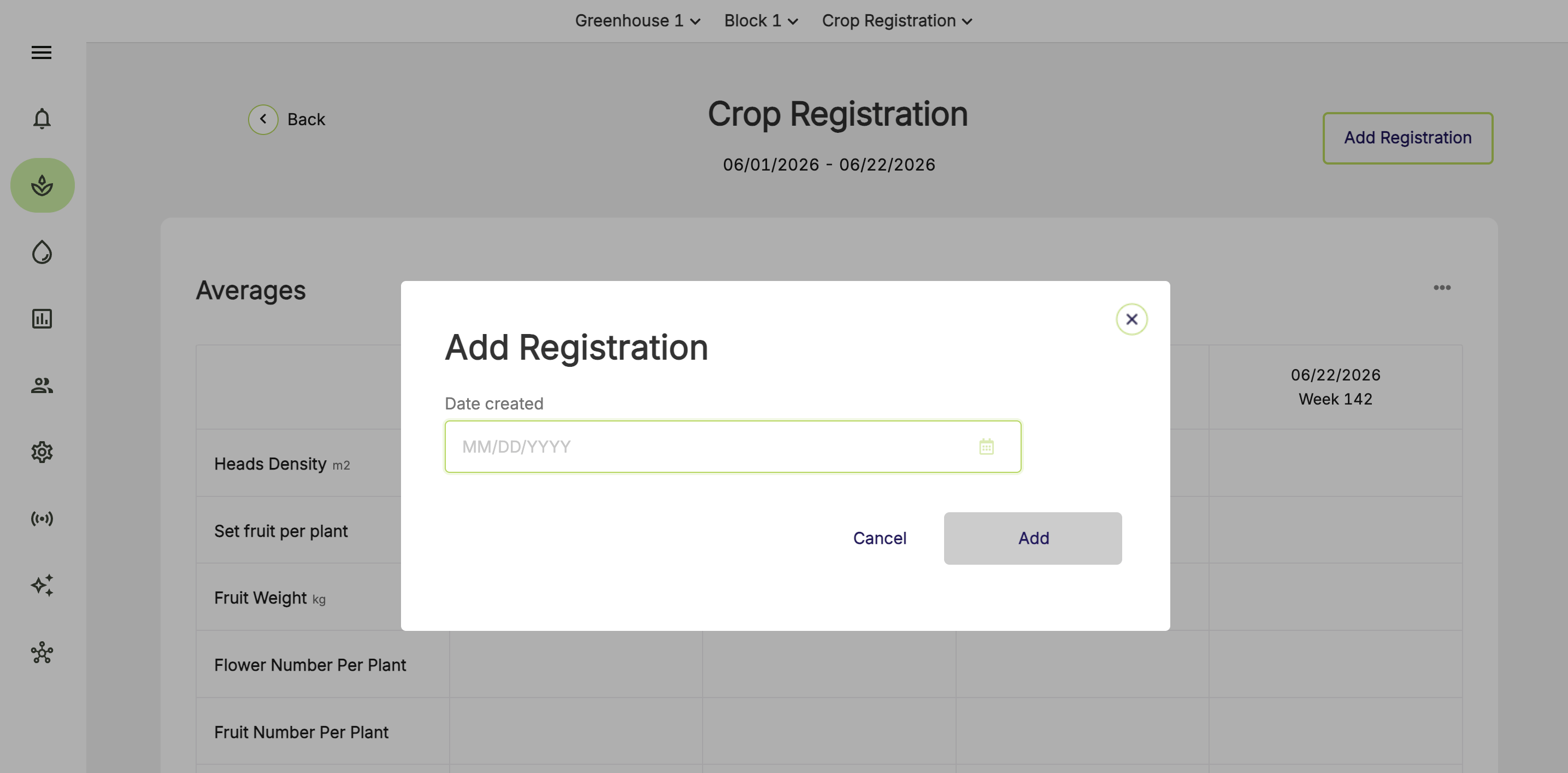
2. Enter a date for the new crop registration record.
<Frame>
  <img src="https://mintcdn.com/waybeyond/TlOHwk3gqAwlpCB9/images/FarmRoad-web-Crop-Registration_add-registration_2.png?fit=max&auto=format&n=TlOHwk3gqAwlpCB9&q=85&s=aa213b6b2efdd8e230ffcaa93f9636cc" alt="Farm Road Web Crop Registration Add Registration 2" width="2870" height="1414" data-path="images/FarmRoad-web-Crop-Registration_add-registration_2.png" />
</Frame>

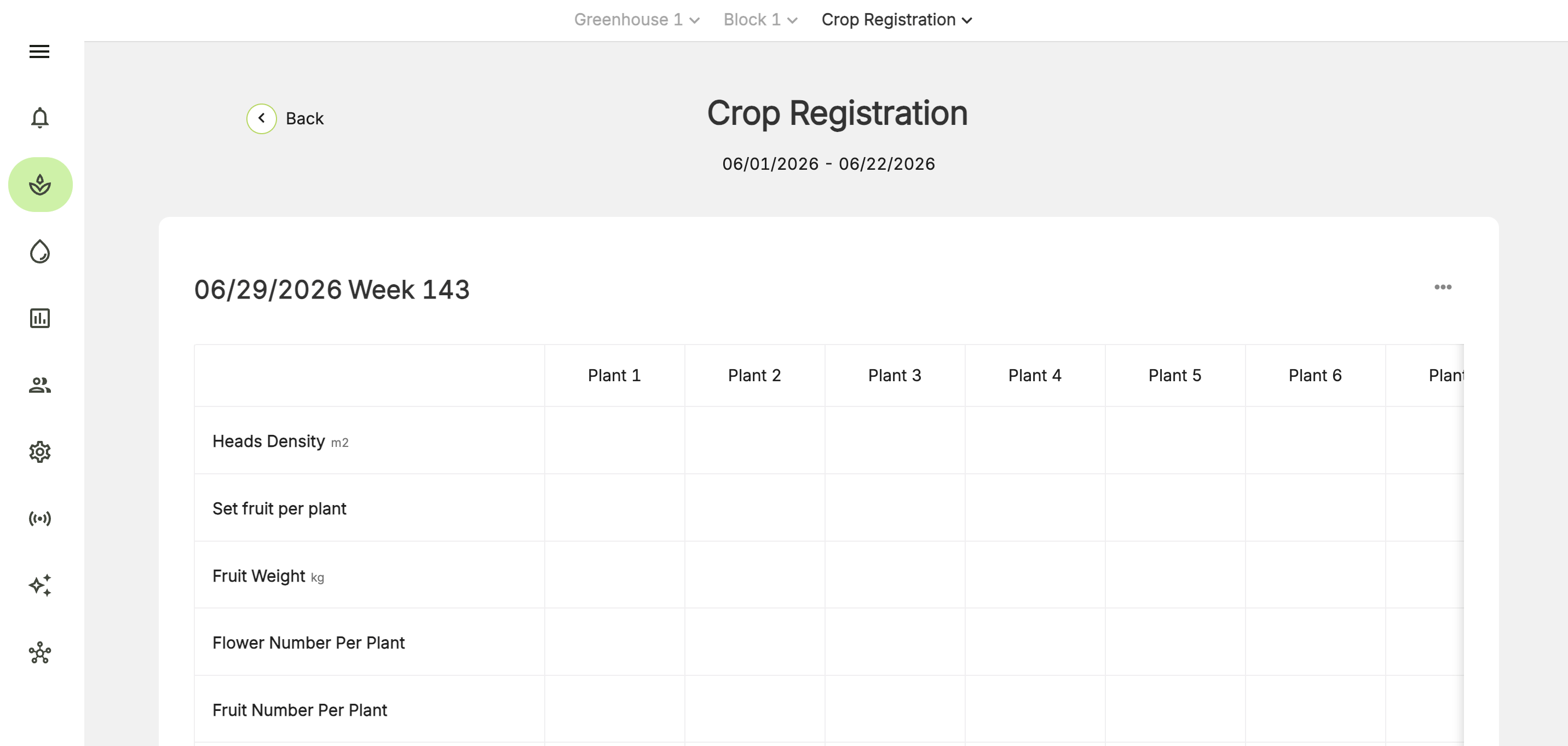
3. You will be taken to a new crop registration record page, where you can record your plant measurements.
<Frame>
  <img src="https://mintcdn.com/waybeyond/TlOHwk3gqAwlpCB9/images/FarmRoad-web-Crop-Registration_new-registration-added.png?fit=max&auto=format&n=TlOHwk3gqAwlpCB9&q=85&s=6b4cbfe81240855c006895507561f92b" alt="Farm Road Web Crop Registration New Registration Added" width="2864" height="1362" data-path="images/FarmRoad-web-Crop-Registration_new-registration-added.png" />
</Frame>

4. Click **Save** when you are done.
