> ## Documentation Index
> Fetch the complete documentation index at: https://waybeyond.mintlify.site/llms.txt
> Use this file to discover all available pages before exploring further.
# How does the Sensor Offline alert work?
> FarmRoad Sensor Offline alerts automatically notify you when one of your FarmRoad sensors stops reporting data.
Sensor offline alerts work by monitoring your sensors for regular updates. When FarmRoad doesn't hear from a particular sensor for at least 60 minutes, it will send an offline alert.
Sensor offline alerts are designed to only alert **once** for a given sensor outage.
## **How to create a Sensor Offline alert**
1. Go to **Manage alerts** screen and select the **Sensor alerts** tab.
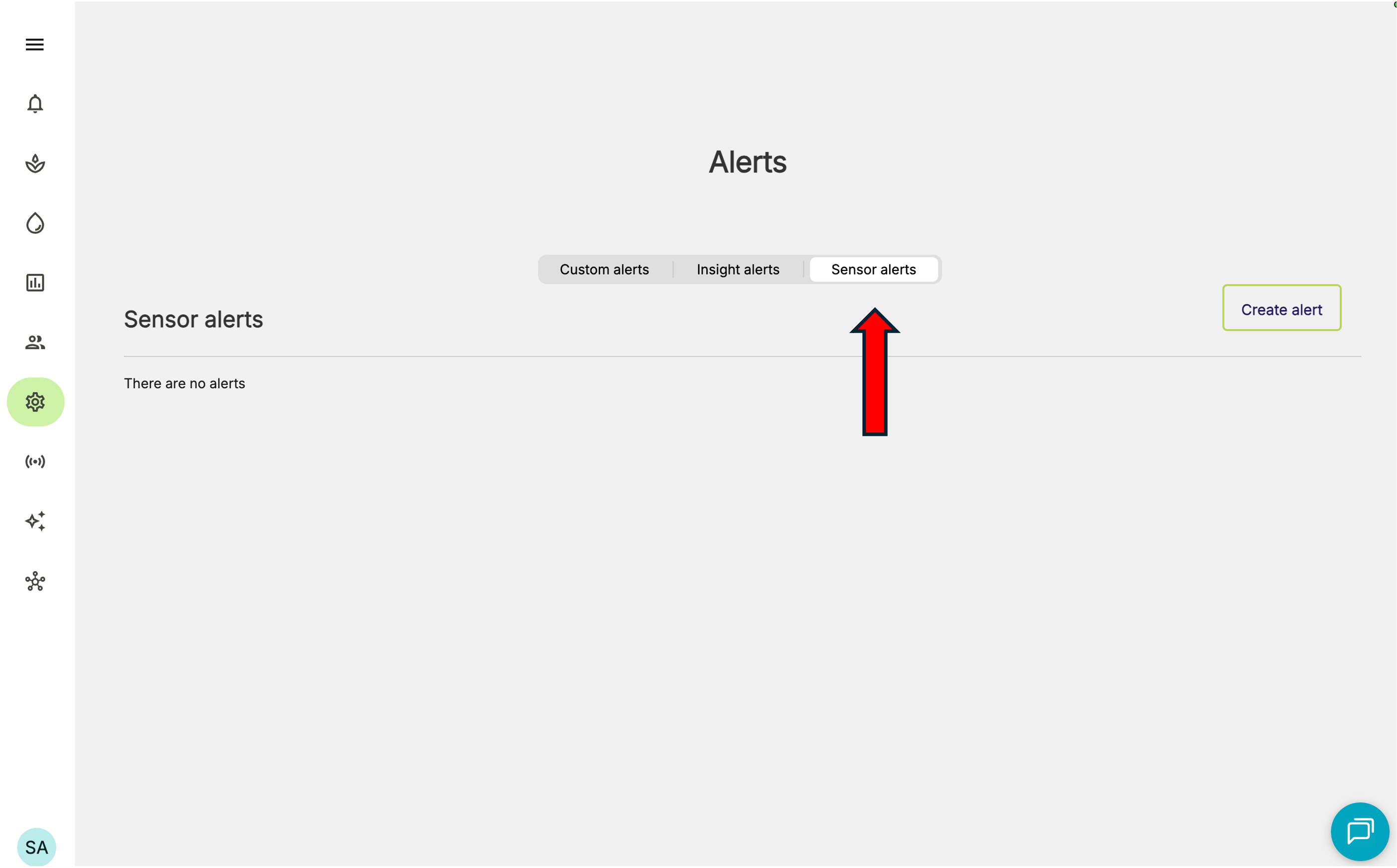 2. Click **Create alert** button
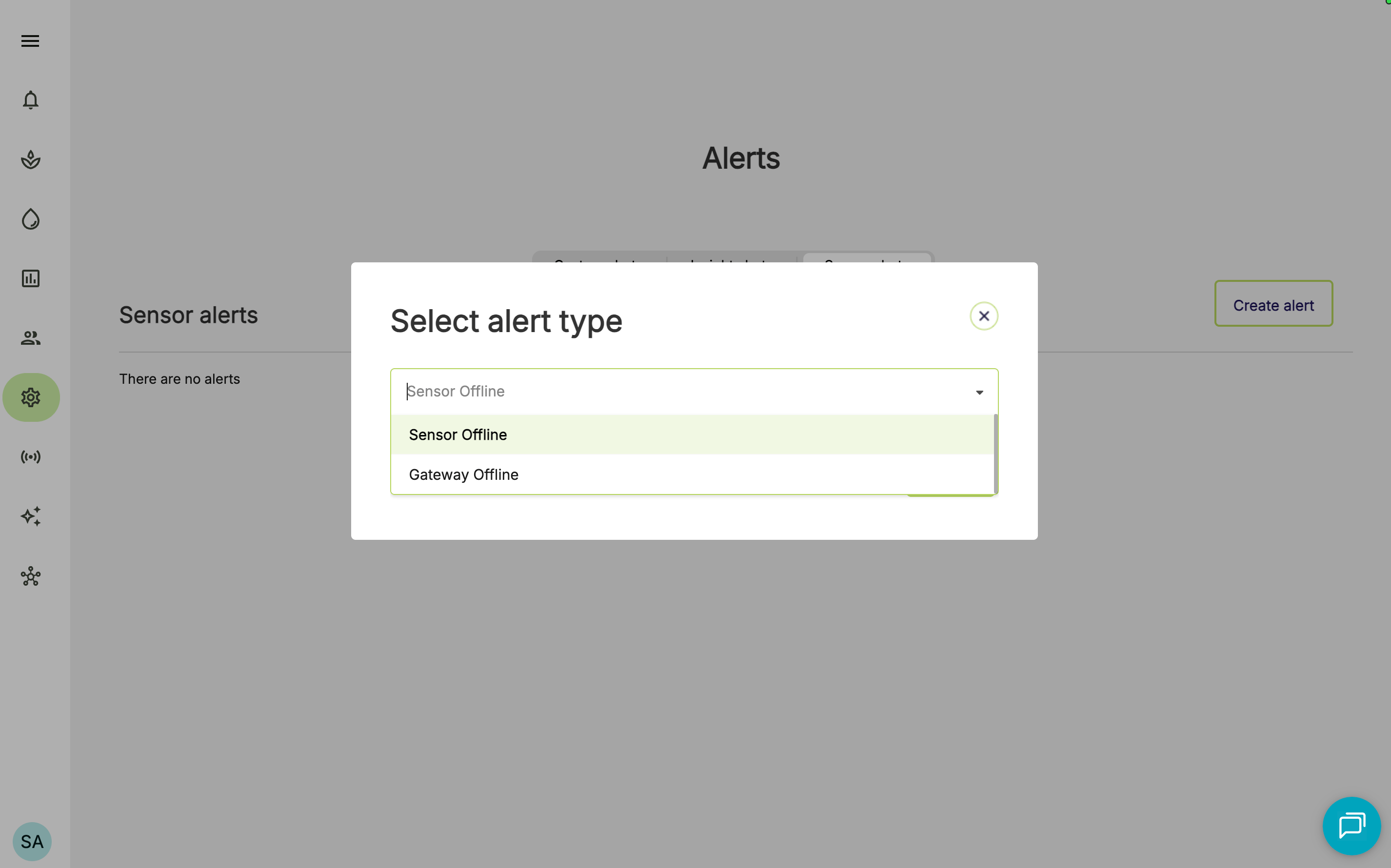
3. Select **Sensor Offline**
2. Click **Create alert** button
3. Select **Sensor Offline**
 4. You can set up your preferred notification channel(s), and the desired recipients (either by role, team, or individual).
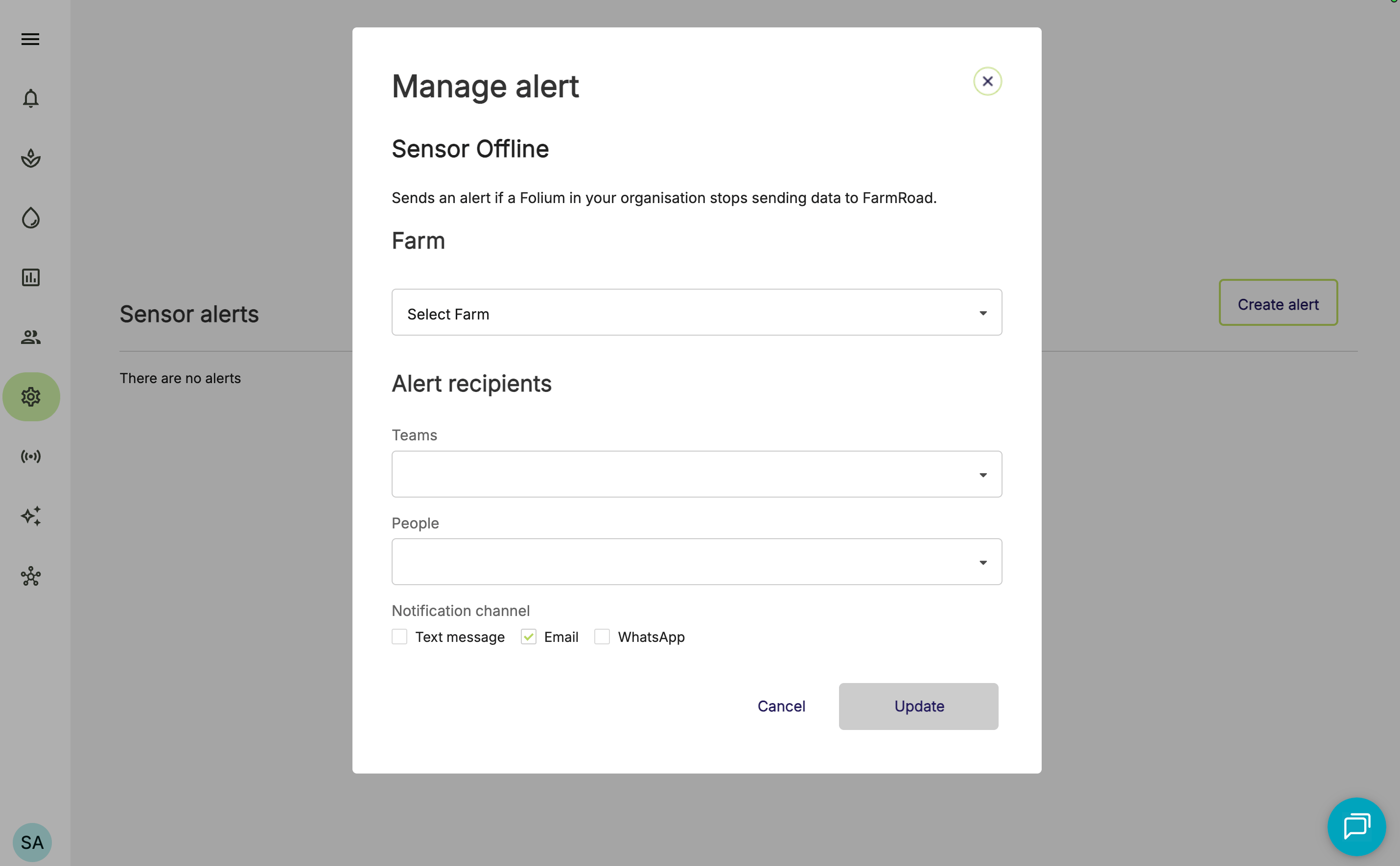 To receive alerts via Text message (SMS) or WhatsApp, your team members will need to have a mobile number entered in their FarmRoad profile.
5. Click **Update** to apply your changes.
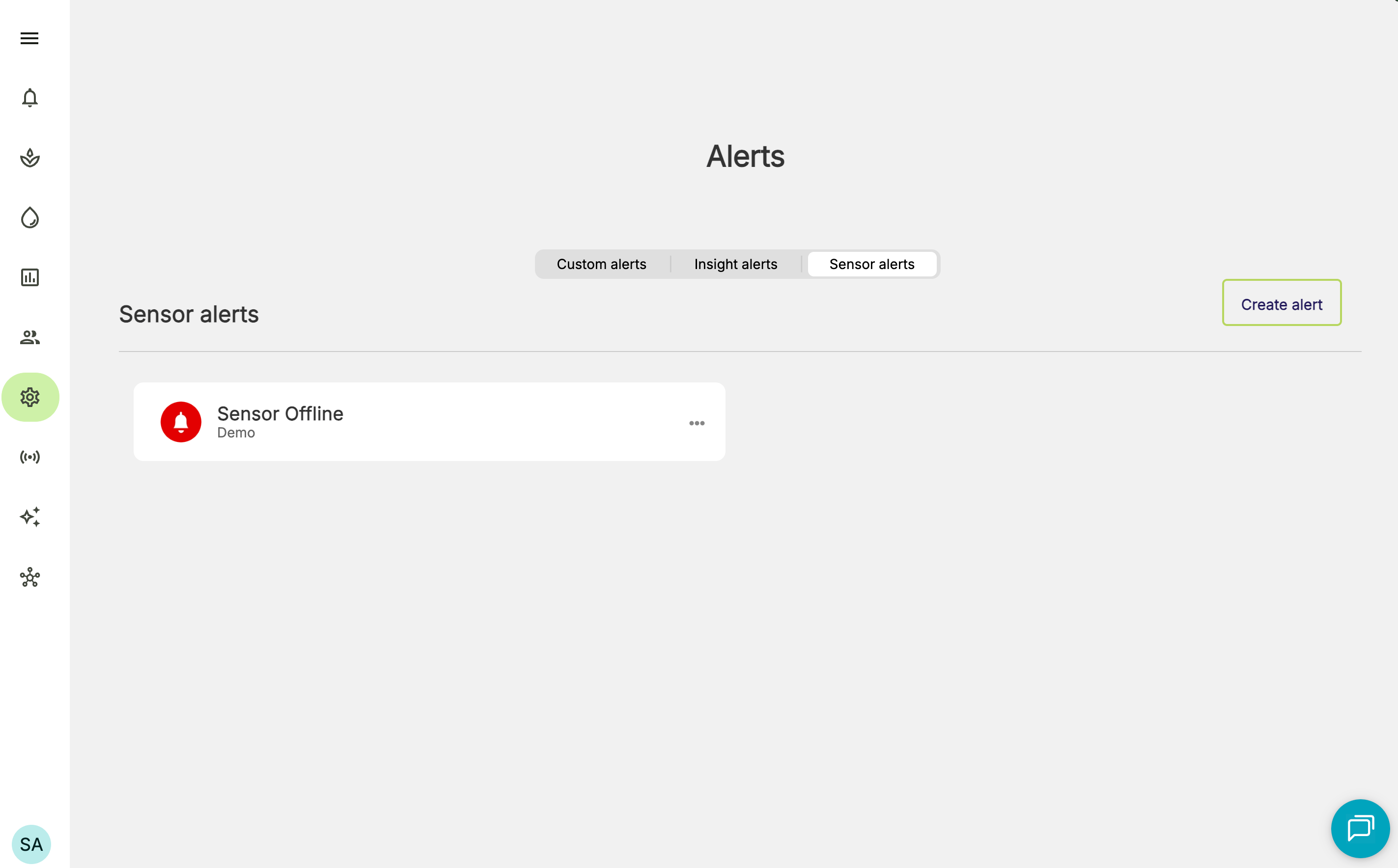
You will now receive automatic alerts when your FarmRoad sensors are offline.
To receive alerts via Text message (SMS) or WhatsApp, your team members will need to have a mobile number entered in their FarmRoad profile.
5. Click **Update** to apply your changes.
You will now receive automatic alerts when your FarmRoad sensors are offline.
 Did you know, you can also set alerts for when FarmRoad Gateways are offline? [See instructions here](https://waybeyond.mintlify.site/en/farmroad/understanding-gateway-offline-alerts).